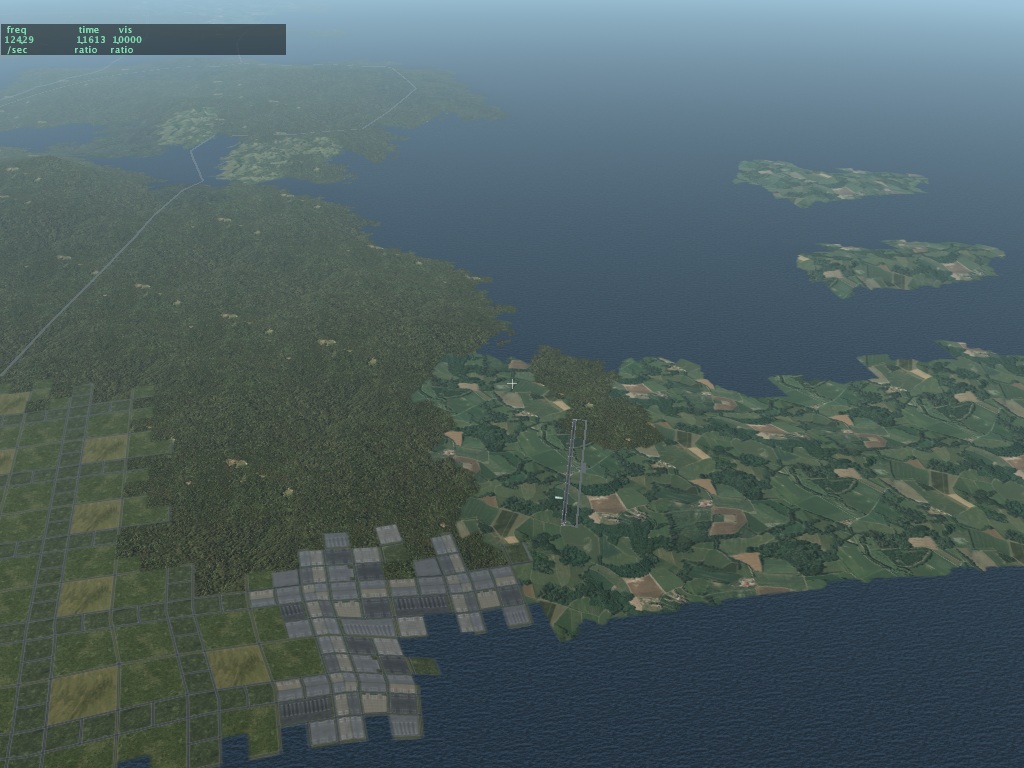
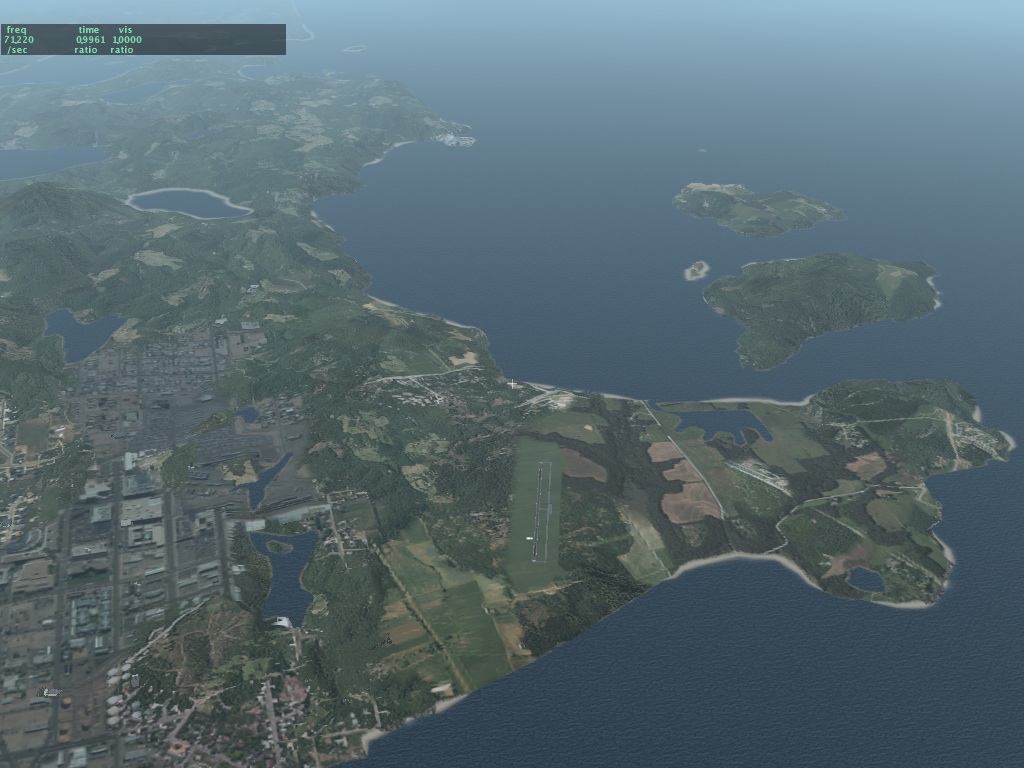
Thursday, September 21, 2006

The road to hell is paved with ATTR_poly_os

I'm note sure I can even explain this...basically "polygon offset" is both the darkest voodoo in OpenGL and NOX for OpenGL programmers...usually it helps you win but sometimes it causes you to go down in flames.

The basic idea of polygon offset is this: normally you see the closer of two objects 'on top of' the farther one. This idea is so obvious to us humans who live in a 3-d world that it's almost hard to explain. Imagine I am a painter. If I draw two mountains, the one I draw second will always appear "on top of" the one I draw first in my painting...thus I must draw the far mountains first and the close mountains second to get a realistic landscape.

OpenGL provides "Z buffering"...basically this lets you draw the mountains in any order and the graphics hardware takes to not draw the pieces of the far mountain that need to appear under the near mountain in order to make the 3-d image look realistic.

So where does polygon offset come in? Well, the problem is that if two pixels we're drawing are very very close to each other in distance from the viewer, OpenGL's ability to decide which one goes on top falls apart. It turns out there are limitations to the math OpenGL can use. In particular, if I have an object with two triangles that are exactly on top of each other...OpenGL will randomly show some pixels from one and some from the other! Yuck! This is called Z-thrash.

This is where we bring in polygon offset. Polygon offset is a trick where you tell OpenGL to handicap the competition between two triangles. You say "listen, I know that the grass and the runway are probably about equal distances from the viewer...but handicap the math by adding 2 to the runway in all cases". What happens? The runway always wins! In other words, polygon offset is a cheat that helps assure that given two pieces of scenery on top of each other, the 'right' one always appears on top.

For more discussion on polygon offset, check out this article from the scenery web site.

Whew. Well that was fun...we use polygon offset on runways (to make sure they never thrash with the ground textures) and it just works great. But when it comes to roadways, things really go to hell.

Polygon offset has two strange quirks that make it tricky to work with:

1. If you cheat and use polygon offset to help a bit of scenery 'win' the distance competition, there is a risk that the cheat could push it through other parts of the scenery. (This mainly happens if you use too much polygon offset.) For example, if we used too much polygon offset on the runways, they would start to appear 'on top of' the airplane! It turns out there are two ways to manage this...we can tell OpenGL to "cheat once and forget about it" or "cheat every time you use this triangle". Both ways have their own problems.

2. The amount that OpenGL cheats and adds some to the calculation about "who is closest" depends on the angle from the viewer to the triangle in question! Take a second to consider that...if you look straight at the runway from the top, OpenGL is only adding 1 or 2 to the calculation - but if you then sit on the runway looking down it, perhaps it's adding 10 or 11! I can't hope to explain this aspect of polygon offset without going into the mathematics of 3-d frustum projections, but I will say this: this property is both necessary (if it didn't work like this, most times polygon offset wouldn't provide a decisive winner between two triangles) and a pain in the ass, because it means that relatively large offsets can be used at certain view angles.

(In fact whenever you move the camera and see one piece of scenery "eat" another, then go away, this is what you're seeing - we've used too much polygon offset and at a steep view angle the amount added to the math is too huge.)

Now I think we know enough to understand how X-Plane's roads became the road to hell.

Generally speaking, any time you put something directly on top of the terrain mesh, you need polygon offset to assure you see it and not the terrain under it. This is true for beaches, runways, and of course roads. (Authors making airports out of OBJs know that their tarmac objects need ATTR_poly_os too!!) So I think we can at least see that we need polygon offset for roads on the ground.

Now consider bridges. They are up above the ground, so technically they don't need polygon offset. But if a bridge segment starts on the ground and climbs up, it will be eaten by the ground. So I decided to polygon offset bridges too, and that was okay.

Then came cars. The problem is: do cars have to be polygon offset? Well, it turns out we lose either way. Recall that there are two ways to handle the 'cheat':

- If we only offset bridges once then they appear above terrain, but one bridge may incorrectly appear above another, because the cheat is not permanent.
- IF we offset bridges "permanently" then they will appear above the cars on top of them.

Okay so let's offset the cars too! It turns out that that doesn't work. Recall that the amount of offset is a function of the view angle of the triangle. Well, 99% of the time roads are horizontal, as is the terrain. So offsetting is okay - everyone gets about the same cheat.

But a car is made up of triangles going in all different directions...the result is that if you offset a car, then the roof offsets more than the doors! This just looks terrible. And even worse, the headlights, for technical reasons, always offset the minimal amount. (Geeks: they are billboards - they are quads that always look straight at you, so they always have zero view angle!) Bottom line is: you can't cheat the cars effectively onto the roads. Up through beta 11 you have seen this awful result..the cars look like they are inside the bridges.

Now since most of our cars drive on the highways, and since the highways (at least in the US) are mostly bridges so they can go over the regular road grid, this artifact is visible just about all the time.

So for the next beta I am backing off to the lesser of two evils: the bridges will not be offset. This means the cars will look great on the bridges. What you will see is a gap, like the one shown here. What this is: right as the bridge starts to "rise" out of the ground, the polygon offset cheat is turned off, and so for a little bit the ground consumes it.

Monday, September 18, 2006

Stupid Library Tricks

Here's something a little bit surprising about the library: the EXPORT command in a library.txt file cannot replace another file in the same package.

For X-Plane 850 we added cars driving on the left side of the road for New Zealand, the UK, Japan, and other countries that drive on the wrong side of the road. Unfortunately what I did was export two road.net files from the same package - one with a region restriction (to these few countries) and a later one with none.

Consider the sum of these two statements...the result is that in New Zealand, the UK, etc. the sim will use either of the two road.net files, picking randomly.

850 will address this with a new library command. Whereas the "export" command normally provides one of multiple alternatives within a package (but replaces any lower ranked packages), the new "export_exclude" command will replace alternatives both within the same package and within lower ranked packages. Commands are treated sequentially, so an export_exclude should usually be at the top of the library.txt file.

Get That Airport Faster With...

I was at least as surprised as you will be to discover that...

..when you pop back to your starting location using replay mode, the airport appears (belatedly - see the previous blog entry) almost five times faster if you turn off texture compression!

What the hell?!?! :-) It's almost as if some idiot programmed X-Plane to load scenery five times slower if texture compression is on. Oh wait...that was me.

The problem is: how to balance the importance of keeping the framerate up with the importance of loading airports before you get there? All background work involves stuff we might do in the background (if you enable the rendering setting), maybe on a second core/CPU if you have one, and also some talking to the graphics card. We can only talk to the graphics card between drawing frames* and doing so stops rendering.

It turns out that in X_Plane 8.30 when we developed background loading, I put in the "go 5x slower" option because compressed textures visibly halts the sim as the graphics card stops rendering and compresses each texture. Without this 5x slowdown in background work, flight becomes stuttered and bumpy. The problem is that the 5x slowdown means we're going through airports at a much slower rate than we should be.

I am working on airport tuning now...there will still be a delay before you see airports if you use instant-replay to move around fast enough (this delay is about the length of time the sim would have spent halted during scenery load but now no longer does) but the responsiveness should be a lot better.

(Here is a discussion of dual-core for Flight Simulator X...tdragger explains the issues well, and I think they apply to any graphics-intensive real-time or near-real-time simulation, so it doesn't surprise me that both X-Plane and FSX offload similar types of work to extra cores.)

*Newer OpenGL drivers get around this limitation to various extents; we will eventually support this in X-Plane.

Friday, September 15, 2006

Where's the Airport???

Sometimes with X-Plane 850 you may reach your destination airport only to discover that...it's not there! What's going on???

Well, in X-Plane 850 3-d scenery is created while you fly. This includes roads, trees, buildings, and most importantly airports. So...if the flight simulator cannot build 3-d scenery as fast as you fly, you may get to the airport and discover and it's missing. After a while, it will appear. The easiest way to see this is: go to replay mode, so you can easily move a huge distance just by dragging the replay slider. This will "thrash" the 3-d scenery build-up and a bunch of airports will be missing.

There is one exception to the "build-as-you-fly" rule: whenever you do anything that changes the scenery situation from a dialog box, X-Plane says to itself, "well, the user is already not flying, because a dialog box is open...why don't I take the time now and create all the 3-d scenery nearby". So when you place an aircraft at an airport, change certain rendering settings, etc. then the sim builds the airport up front and it will always be there.

I do not yet have a fix to the problem of missing airports. For now I recommend that you consider turning down your 3-d scenery; often a lot of roads or objects can cause the sim to get behind in its 3-d work. I am working on making the code more efficient.

Thursday, September 14, 2006

Beware the GMA950 iMac

Apple has released new iMacs. Previously the iMac was the best X-Plane experience for the dollar among Macintosh hardware offerings. It still is, mostly.

But...the cheapest smallest iMac, at an affordable $999 does not have the kick-ass ATI Radeon X1600 graphics card. Instead it has the, well, ass GMA950 integrated graphics.

If you are looking to buy an iMac and are even going to think about playing X-Plane, buy the more expensive box and get the ATI card. You can't upgrade iMacs, at least not in any way that I've ever heard of, and the GMA950 is never going to perform well.

More importantly, as X-Plane progresses we will take more and more advantage of hardware shaders, and the GMA950 is missing a major set of shaders. So even though the iMac itself is blazingly fast, the video card will simply be unable to show a lot new features.

Lights and LOD

EDIT FROM 2/19/07: this article mentions some bugs with light visibility from X-Plane 850 betas. These bugs were fixed, and the mechanism of detachment is entirely internal to X-Plane. So please bear in mind when reading this that while this describes the internal engine of X-Plane, you as an author don't need to DO anything special for lights.

One user reported that the taxiway lights are visible a very long way away from the airport. This is true, but it is probably not a cause for concern. By comparison, the airport beacon has a way of disappearing - hopefully less so in beta 11. Here's what's going on:

(When I say "light" in this blog post, I mean the little ball of color that is supposed to simulate the look of a light bulb. "Fixture" refers to the 3-d object modeling the real-world device that holds that bulb in place. The actual rays of light cast are not simulated - that's why the approach lights don't illuminate part of the plane no matter where you fly. Current graphics hardware just doesn't give us that ability yet.)

In X-Plane 850 all "lights" are made via OBJ8 objects. The OBJ8 object may contain both 3-d geomemtry that forms the fixture, and one or more "lights", created via either the LIGHT_NAMED or LIGHT_CUSTOM command. Objects may also have multiple versions based on LOD. If you don't use ATTR_LOD, a single LOD range is assigned by X-Plane based on how big your object is. (Bigger objects will need to be visible farther away.)

Now here's where it gets weird. Some of the lights in an object are "detached" by X-Plane from the OBJ and stored separately in the scenery. We do this for performance - the detached lights can be fed to the graphics card via a different mechanism that is much faster than regular OBJ drawing. One of the effects of light detachment is that the detached lights are no longer limited by the LOD of the object. They instead are drawn to much further distances. The fixtures of the objects, however, are never detached...thus some of the airport light OBJs in X-Plane are only visible to 500 meters. We can get away with such a low distance because the light bulb itself is detached and will remain visible.

So which lights are detached? Well, it depends on a number of factors - lights are only detached if they are not subject to animation and they are simple enough to be drawn in bulk. Which lights are these? It's hard to predict.

So the airport beacon and taxiway light work differently; the taxiway lights are very simple and are detached - hence they are visible a long way away. The airport beacon lights are animated (the light bulbs rotate with the fixture), and are never detached. Thus the airport beacon is subject to LOD constraints and taxiway lights are not.

If you set the world level of detail setting to "low" or "very low" it simply reduces the LOD ranges of all objects. Thus on "very low" the airport beacon may be seen to disappear before the (detached) taxiway lights. For beta 11 I have tried to set the airport beacon LOD large to be enough that even on such low settings the beacon will be visible farther away.

There is one more piece to the puzzle: all lights become dimmer with distance. So in theory our hope is that the lights will become fully dim due to distance before we stop drawing them with LOD, producing a gradual fade-out rather than a sudden disappearance. But if we don't tune all of these parameters right, lights can randomly appear to disappear in the distance instantaniously.

If there's a moral of the story, I'm not sure what it is, except perhaps: this new light system is very new, and I am sure our artists will tune it a bit over the next few versions of X-Plane, helping to hide these implementation artifacts.

Saturday, September 02, 2006

Quick Note: Unstable Formats During Beta!

I just moved into a new house...comcast shows up on Monday (in theory) so until then I won't be posting much or answering email, but a quick note on 850:

The new extensions to the apt.dat format for 850 are not considered final until we go "RC" (releae candidate). So...

...if you are experienting with 850, please expect to have to update your work during beta. If you don't want to change your work please wait until we are RC!

...if you are trying other people's 850 experiments, they may not work if they haven't been updated to the latest X-Plane.

The beta period is definitely experimental. Once we go RC, we'll freeze the format so that third parties can make scenery.

Saturday, August 19, 2006

A missing PC?

Continuing the thread of hardware and how the market doesn't always provide the machines we want...let's look at Windows.

We've hit a point that people have been saying would come for years: computers aren't getting faster - they're getting cheaper. Technically computers are getting faster, but there are now ultra-low-end Windows machines that aren't much better than what you could get a few years ago. But they are so cheap!

Consider a quick visit to Dell's website. Their cheapest low-end machine is less than $300 with monitor! Insane! It's not much of a machine to a flight-simmer, but it is a 2.5 ghz machine with 256 MB of RAM and an 80 GB hard drive. Put a cheap RAM chip in and that's basically what I got as my flight sim machine a few years ago.

The problem is - to get the price down, the machine's had the parts totally stripped out of it. The graphics are going to be an embedded chipset, probably Intel's, and they're not going to be usable for games. Want a PCIe 16x slot? (Accept no less for a flight simulation machine these days?) I couldn't find a Dell with one of these for less than $650!

Perhaps this makes sense - consider what my MacBook Pro is doing right now and how much of its CPU capacity is used:

- Email: 15%
- Word processing with real-time spell-check: 6%
- Surfing the web: 10-40%

Of course if I go launch X-Plane...

So if I was really talented and could do all three of these things at once, my computer would still be overqualified! For the average person, the sub-$300 computer is just great. It does what they need and is becoming very affordable.

Where things get tricky is when one of those users wants to try X-Plane for the first time. In order to get the price down to $300 Dell has had to cut to the bone on all components. So what we're seeing from users who have new machines is the have's and the have-not's.

The haves have new motherboards with fast memory controllers, large caches, dual core chips, and 16x graphics slots - the card in that slot is usually a monster. (Even last generation's mid-range cards like the 6600GT were very powerful by X-Plane's requirements.) The have-not's have a machine with integrated graphics and no slot to replace them with, very little cache and slower memory controllers.

There isn't really a point to this blog entry...the market is just meeting people's needs. A summary of my observation is: where a rising tide of technology lifted all computers a few years ago, that push is now lowering price instead. As a result, many users have machines that are not way overpowered for their day-to-day work and are thus underpowered when they discover flight simulation.

A missing Mac?

As I catch up on Steve Jobs' keynote for WWDC 2006 (where they announced the new quad Intel Mac Pros) it occurs to me that there's a missing slot in Apple's product line that makes things tricky for X-Plane users.

At this point I wouldn't say that Apple is expensive (they're not cheap, but the internal components aren't cheap either). The problem is finding what you want.

The MacBook and Mac Mini are reasonably affordable, reasonably fast (now that they're Intel-based) and do most things that users want. But both have Intel graphics chips, which make them hopelessly underpowered in the graphics department for X-Plane.

The MacBook Pro and Mac Pro come with great graphics chips and are great high-end products, but clocking in at over $2,000 they're outside the ballpark of what most people will pay for a home computer.

The iMac is probably the best bet for a home flight-sim user. At $1300 it's not too expensive, but it comes with a great graphics chip, is a fast overall computer, and flies the sim real well. The flat screen looks good and it's a nice clean machine to have on your desktop.

What Apple hasn't made (and I suspect never will) is an $800-$1000 desktop with fast graphics and no monitor (a mini pro if you will) and a graphics card in a slot (so it can be upgraded). Such a box would be the best choice for a Mac for flight simulation, but since it doesn't exist the iMac's the next best thing.

To end with a minor rant: the new Mac Pro comes with the nVidia GeForce 7300 GT as one of the options. This isn't a bad card - today's cards are now so fast that even the "low end" ones are fast. (Compare to the 5200FX, which was unusably slow from day one.) But a low-end nVidia card in a $2500 Mac? The previous-generation 6600 GT outperforms it in fill rate and memory bandwidth. This isn't the first time Apple's shipped a big machine with an option for an inappropriately slow graphics card. (I suppose I'm seeing the world from the perspective of a gamer.)

Thursday, August 17, 2006

Avoid thrashing pavement types in apt.dat files

In the distant past I blogged about the "crayon rule", that is, thet importance of not changing textures a lot during rendering, and how authors can help X-Plane avoid changing textures.

Before X-Plane 8.50 the sim would change textures every time the pavement changed types in an apt.dat file. So if you have an airport layout that alternates concrete and asphalt pavement (the order in the apt.dat file is the drawing order!) then X-Plane would just switch and switch.

X-Plane 8.50 tries to be smarter about this and detect when it can get away with changing your layout order to reduce texture changes, improving framerate.

Here's my warning: X-Plane is not very smart about this! We try to eliminate unneeded changes but our code isn't that elaborate and it won't optimize as well as you can.

The sure-fire way to improve framerate is to group your layouts by pavement type. This will give you the best framerate. If you have to overlap pavement and control the draw order, I recommend using as few groups of pavement types as possible.

Tuesday, August 15, 2006

Taxiway Layouts - positive or negative modeling

X-Plane 850 allows you to model taxiways by cutting holes in pavement, as well as by building up pavement around a hole. In other words, you can make a letter-'O'-like shape by making a circle and then cutting out the center, or by making two semicircles that touch.

Which is better? Here are a few guidelines:
  • Making an area out of smaller pieces is slower in that you must introduce individual lines only to "cut" the area into smaller parts. So generally subdividing your pavement is harmless as long as the cuts can be a few simple straight lines. Using bezier curves or lots of straight segments just to partition an area into smaller parts can slow down frame-rate. So if you're going to partition, keep it simple.
  • If you keep your partitioning smple, there's no harm and it does let you control the "grain" of the taxiways textures.
  • It takes X-Plane longer to build layouts that have more complex polygons. So subdivision can make airport build-up faster. So for example, modeling an entire class B airport with a single polygon is probably too complex - consider breaking up the polygon a bit.
  • It's better to have two adjacent polygon taxiways with more complex boundaries than one polygon on top of the other. X-Plane has to further subdivide polygons based on the topography of the local terrain, and that subdivision happens for every layer of pavement that's overlapped.
  • One exception: two edges of polygons that touch and are bezier curves may not line up properly, due to rounding errors. So if you want to have one curved surface over another, you may have to use overlaps.

Monday, August 14, 2006

Error Diagnostics

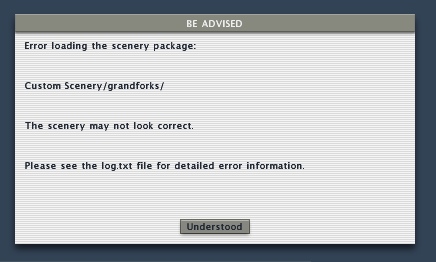
I got a bug report that Tom Kyler's "Grand Forks" scenery wouldn't load with X-Plane 850. It turns out the apt.dat file has a syntax error that X-Plane 840 silently ignored but X-Plane 850 reports as an error message.

I've wired up the apt.dat loader to use the new, more forgiving error reporting system. Most of the sim still doesn't use this system, but when the sim does, the result is a single dialog box (per scenery package, no matter how many errors) that looks like the image on the left.

X-Plane then logs detailed information about the problem to the log.txt file like this:

***Error with scenery file "Custom Scenery/grandforks/Earth nav data:apt.dat" (/code/design++/HLutils/OOPS_cpp/airp.cpp: 493.)
An apt.dat enumeration is out of range: Invalid beacon code. Expected a code less than 6 but got 343128. Airport is KGFK. File is Custom Scenery/grandforks/Earth nav data:apt.dat.

This way authors can get as much information as we have about the corrupt file while users are not bombarded with technical details. When possible X-Plane will continue to load, but the sim may abort if the file is too badly corrupted.

Sunday, August 13, 2006

I'm back and the sim is still slow - what happened?

I'm back from a week's vacation in the mountains - having access to no digital devices is so refreshing!

We're still working on optimizing the planet code; until this is done we won't have the best possible framerates in 850. So even with beta 7 I think there will still be some improvements we haven't gotten to yet.

Thursday, July 27, 2006

The Guilty Parties (e.g. why 850 is slow for now)

In the past two blogs I described the difference between efficiency and overall speed and the effects of VRAM, textures and objects on scenery. So now we can finally answer the question: why is X-Plane 850 beta 4 slower than X-Plane 840? (And can we fix this?)

The answer is: the biggest single thing slowing down 850 is the orbital rendering of the planet! It turns out that the planet is pretty expensive to draw, and even more so in 8.50. Why is the planet more expensive and why are we drawing it? It turns out that we needed to for the new water reflection textures.

In X-Plane 8.40 you can only see the ground about 25 miles away. This is because we don't have enough scenery loaded to draw any farther out - and if we did it'd be a real drag on framerate. But the sunset goes out to the horizon, which can be a lot more than 25 miles away, even at low altitudes. To address this, we decided to (1) make sure the whole-planet view had the new water as well and (2) draw that planet behind the main scenery to extend the sunsets out to the horizon.

So...X-Plane 850 is drawing the planet all the time (and drawing it with sun-textured water) and that's dragging down the framerate. For the next beta we'll make the planet code smarter so it draws as little planet as possible. This should get back almost all of the framerate 840 had, depending on weather and altitude.

The new water does cost a few fps - the framerate hit is very minor - but you may be able to get some more speed back by turning off "reflections and shadows" in the rendering settings. This
will make the water look like 840 and should bring back a few fps. Like 840, turning off the high-res planet textures rendering setting will also improve framerate a little bit.

So hopefully framerate should be pretty close to full speed in the next beta. There may be other parts of the sim that are slower, but the planet was the big one. But of course be aware of things in the sim now that weren't in the sim before:
  • Cars on the roads.
  • Flocks of birds.
  • Reflective water.
Even if X-Plane 8.50 is as fast as 8.40 (efficiency-wise) these new features do work that didn't need to be done before, slowing down frame-rate. You'll have to decide if you'd rather have the improved graphics or the framerate.

Wednesday, July 26, 2006

X-Plane Framerate and VRAM

When it comes to discussing graphics cards, VRAM always comes up. How much do you need? Is more really better? And why does X-Plane say it is using 300 MB of VRAM at current settings when you only have 64 MB of VRAM on your graphics card? How is this possible?

Well, the short answer is that X-Plane's measure of VRAM is actually mislabeled. But there's more to it than that. (See the bottom for tips for managing VRAM and framerate.)

X-Plane creates two kinds of graphics data for your graphics card: geometry data (the shape of mountains and valleys, buildings, runways and airplanes) and texture data (the raw images that are "painted" onto that geometry, such as grass, water, and airplane liveries).

The amount of texture data X-Plane loads is a function of your texture resolution settings - lower resolution means less texture data. Turning on texure compression also lowers this amount, and adding custom scenery may raise it.

The amount of geometry data X-Plane loads is a function of the number of cars and objects, add-on scenery, and which base meshes you use (new DSFs have more than old ENVs). Turning down the 3-d detail can reduce the amount of geometry data X-Plane has to load.

There are three two places that geometry and texture data can be stored: system memory (the RAM in your computer, on the motherboard) and video memory (VRAM, the memory on your graphics card). VRAM is usually faster than system memory, especially when the graphics card uses it, but there is usually less of it. For example, my Mac has 2048 MB of RAM but only 256 MB of VRAM.

We need one more concept to understand how VRAM and frame-rate relate to each other: the "working set". X-Plane loads a lot of textures when it starts up. But when it draws a frame, it may not need them all. For example, we may load the grass runways texture, but we may not need it if there are no grass runways nearby. The "working set" is all of the geometry and texture data that X-Plane needs to draw the current frame. And since you cannot look at the whole world at once, the working set is usually a lot less than the total data loaded. (For example, as soon as you stop looking at that aircraft carrier because you're flying away from it, the geometry and texture data for the aircraft data are no longer in the working set.)

So putting it all together we can realize that:
  • In the rendering settings dialog box X-Plane is reporting the total texture data.
  • The rendering settings number is possibly low because it doesn't account for geometry data.
  • The rendering settings number is possibly high because not all loaded data is in the working set.
  • X-Plane has two sources of memory to work from (VRAM and system RAM), so even if the memory reported by X-Plane was right and bigger than VRAM, system memory would allow us to still run.
So in summary the display in the rendering settings dialog box is not very informative - you cannot look at that number and your card's VRAM and use that data alone to predict frame-rate troubles.

So...how much VRAM do you need? Well, X-Plane uses VRAM and system RAM. Anything that is stored in system RAM has to be transfered over your graphics bus (this is your AGP slot or PCIe slot, faster is better, meaning AGP 8x is better than AGP 4x).

This is about to get geeky...skip down a few paragraphs for the practical part.

Basically you need enough VRAM and bus bandwidth (capacity to shovel data from system memory to your graphics card) to handle the entire working set (the stuff X-Plane needs) once per frame.

If I haven't already lost everyone, you could say:

max framerate = bus bandwidth / (working set - VRAM )

So faster bus = faster framerate, and more VRAM = faster framerate. (Math sticklers might ask - if VRAM = working set, is framerate infinite? No...but this equation tells us that if the entire working set fits in VRAM and thus you are not limited by the card fetching data. Other limits on the card will limit your framerate. But this doesn't happen so often as X-Plane's working set on a high-end card with nice settings can be hundreds of MB.)

So you either need more VRAM or a faster bus. In practice, both are good! If you're looking at a new computer, do not settle for anything less than a PCIe16x slot - that's the fastest bus you can get now...less will limit the usefulness of your computer when you try to upgrade.

Generally when you've got more data than VRAM your framerate will be slow - but if you have extra unused VRAM, your framerate will not increase. So what I recommend is: turn down texture resolution (and restart) and check framerate. Once you do this and the framerate does not improve, go back up one notch. This is the highest texture resolution you can run without losing framerate. If you want to go higher, go for it...but you'll pay for it in framerate a bit. Also, turn off FSAA for this test, as it can slow down framerates and make the role of VRAM hard to detect.

(A historical note: in the old days graphics busses were a lot slower than they are now. Remember that everything the card needs that doesn't fit in VRAM has to go over the graphics bus. So...on the old cards if you ran out of VRAM, the sim's framerate really tanked - it could fall down to 2 or 3 fps. But modern machines have much faster graphics busses, so as you run out of VRAM, the framerate get slower but is not totally unusable, becaues the graphics bus can keep up.)

Tips for best framerate:
  • Always use texture compression.
  • Turn down tex res until framerate doesn't increase, then go up one notch.
  • Be sure to buy a card with PCIe 16X!
  • If the VRAM listed in the rendering settings is larger then your card's VRAM - don't panic!

Monday, July 24, 2006

X-Plane 850 framerate and efficiency

Austin and Randy and the gang are out at Oshkosh right now - with Austin out of town there won't be a new beta for at least five days. In the meantime I've had some time to look at X-Plane 850's performance and tune the code a bit. (The next beta should be faster than beta 4.) I'll cover performance in a few blog posts because there are a lot of issues.

For today I'll stick to my usual rant: the difference between frame rate and sim efficiency. Simply put:
frame rate = (sim effiency * hardware power) / (visibility * scenery complexity)
Basically the sim gets faster with a bigger computer or more efficient code, and it gets slower as visibility goes up or you load more art into it. (By art I mean more complex 3-d models, bigger textures, more complex DSF meshes, more roads, or any other content that looks better but makes the sim do more work.)

Sim efficiency is only one of several factors in the equation, but, as a programmer, it is the one I care about most. For every release of X-Plane, I try to measure and confirm that the sim can process scenery at least as efficiently as it used to. If our efficiency goes down, your framerate goes down with nothing in return.

So in looking at the puzzle of low framerate in X-Plane 850, there are two questions we have to answer:
  • Is the sim less efficient than 840? (The answer, BTW, is yes, 850 beta 4 is less efficient, and I am working to fix that now!)
  • Does the set of artwork we've included in X-Plane 850 weigh down the sim more than the artwork in 840 when the same rendering settings are used? (The answer is: apparently not or at least not by any significant amount, but more research is needed.)
The point I'd like to make here is: nothing is free. We want to be as efficient or better than 840 (and when we're not, we work to fix it!) We want to make sure that if you don't use the new features, the old features don't cost any more than they used to. But we do not
try to keep the framerate the same if you turn on new things that you didn't have before!

We cannot give you something from nothing. If the sim ran at 30 fps with no cars before, it's probably not going to run at 30 fps with cars - cars take time to draw. Some examples of what's new in 850:
  • 3-d structures on all of the runway lights (this can be shut off by disabling textured lights).
  • Cars on the roads (controlled in rendering settings).
  • Birds flying around (controlled in rendering settings).
We've also redone the models for the ships and hot-air balloons. The new ones are more complex than the old ones and probably slow the sim down a little. Why didn't we provide a fallback to use the old fast artwork? Well, at some point if we try to provide everyone with every rendering setting we're asked for, the rendering settings dialog box will look like the cockpit of a 747-100. So in some cases we try to set something up that is reasonably fast and useful but not too complex, so ordinary users can understand the settings. In a later post I'll cover some of the tuning tricks you can use to maximize performance.

Coming up next: the relationship between VRAM usage and framerate.

Wednesday, July 19, 2006

Cars on the wrong side of the road

In the next few betas the cars will drive on the left side of the road for the UK and other countries that do that kind of thing. There are actually two sim changes to make this happen:
  • The road.net format allows us to specify where on theh road the cars drive, as a ratio from 0 to 1 (0 = all the way to the left, 1 = all the way to the right). So in the US, all car positions are mor than 0.5 but in the UK less than 0.5.
  • The library system now allows you to specify that a given file only be used in certain DSFs by painting a bitmap. So Sergio made a black and white PNG file with the right-side countries in black and left-side countries in white. I made a special road.net with the lanes on the left, and the PNG file controls which road.net gets used (the normal one or special left-side one).
I will try to post the spec for using PNG files to control library export in the next few days. This is a very powerful feature because it lets you paint the regions over which objects may be used. This technique will work for roads, objects, facades, or any other type of file used by X-Plane.

Monday, July 17, 2006

Random Thoughts on 850 beta 1

X-Plane 850 is now beta - see item 7 of Klingon Software Development. A few random thoughts:

We aim to make each new patch of X-Plane "performance positive", meaning for the same settings as the previous version, the new version will run faster. X-Plane 850 is definitely not performance positive right now, but this is mainly because it is an early beta. Expect lower framerates until we have time to do some tuning work and analysis.

X-Plane 850 supports a new apt.dat revision with curved taxiways, lines, etc. However you will not see this in the betas. The reason: the sim supports the data, but we have not yet shipped any new layouts using these features. Until custom scenery authors and layout creators adopt the new features you won't see them in the sim, even though the capability is there. Because we have not yet released editing tools for these new features, it'll be a bit before people can take advantage of them. (You can make curved taxiways now by reading Robin's spec and then using a text editor, but this is a very slow and painful way to make a layout. This is how I have to make taxiways to test the code right now.)

Finally perhaps most important: Austin and I do not have time to follow all of the various on-line forums and communities, so if you post a bug to a forum but don't file a bug report with us, the bug probably won't get fixed! Please use our bug report web page to file bugs with the new beta.

(The bug report web page is for bug reports only. In particular, if you bought X-Plane and are having trouble with it, please email info at x-plane dot com to receive tech support. Filing bugs will probably not get you timely tech support, but emailing our tech support people will.)

Friday, July 07, 2006

Transparent Runways

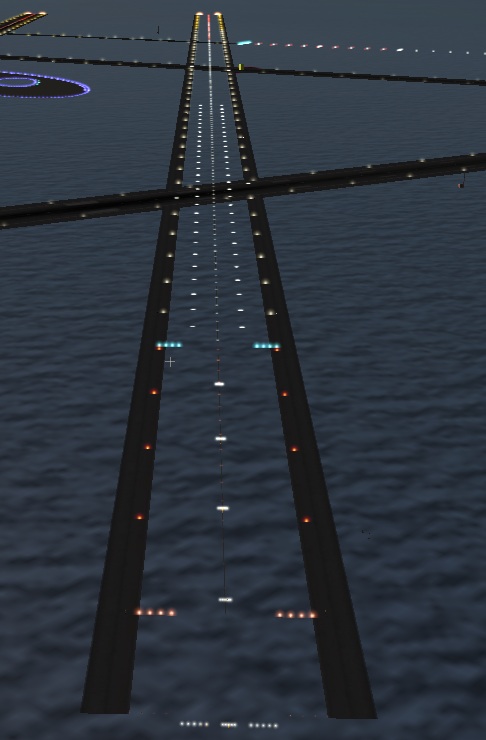
X-Plane 8.50 does all sorts of new things - the picture on the left illustrates "transparent" runways. A transparent runway draws no pavement and does not affect the physics model. But it does have all of the runway lights, signs, and shoulders (if desired).

The purpose of transparent runways is to allow custom scenery to use X-Plane's built-in approach and runway lights while providing your own runway, perhaps via an object with a hard surface.

Technically you could build your own approach and runway lights by hand-placing light objects (from the 850 light library package) onto your runway, but using a transparent runway is a lot easier and probably more reliable in the long-term.

Friday, June 30, 2006

Tools - it'll get worse before it gets better

Here are some musings on the scenery tool situation...first the bad news:

I think 850 will ship with no WorldMaker at all. WorldMaker 8 cannot edit terrain, airport editing is being moved to a separate program, and navaids and fixes are now edited inside X-Plane.

The new scenery tool will probably not be ready by 850 beta 1. I hope to have the first beta of the scenery tool available during the X-Plane 850 beta process - but the scenery tool beta may go on longer.

I am considering 850 airport editing to be higher priority than overlay editing - Jonathan Harris already has a cross-platform overlay editor, but there are no 850 apt.dat editors, so I may release the scenery tool with airports first, then put overlays in later, to get people started with the new airport technology.

Finally the new editor will not be able to save older airport layouts. It will be able to read them, but they will be converted and saved in the new format. If you need to edit old layouts I suggest you use TaxiDraw.

So is there any good news? Well, the main work on the apt.dat format is done, so we'll have a ton of new features for modeling detailed airports. Bezier curved pavement, taxilines, signs
specified by their text, and a whole new lighting system.

Also once 850 ships, scenery tools will be my number one top priority, so I think that while the first few betas of the new scenery tool will be painful and awkward (as we get the basic UI and usability features in place while simultaneously trying to fix X-Plane bugs) I think that we'll pick up a lot of momentum once 850 ships.

Also one note on platforms: the new scenery tool will ship for Mac first, then Windows. I don't have specific plans for Linux, but how soon it happens dependes partly on who I can enlist to help with a port (I don't have a Linux box) and partly on whether it works under WINE (I suspect it may). The whole project will be open-source too so anyone who wants to try to get it working on system X will be able to. With the first beta I should have a "real" source distro, as much as is possible given the development tools I'm using.

It's supposed to just work!

X-Plane 8.50 will introduce a new version of the apt.dat file, but it is also designed to support old apt.dat files without any changes. So if you download the 850 beta (not out yet, but soon!) and an apt.dat file that used to work stops working, that's a bug!

If you hit this case, please do not change your apt.dat file to work around the problem - instead please file a bug. A link to our bug reporter can be found on the bottom of this page.

Also OS X 10.4.7 is out and we've received some reports of crashes. So far these appear to be related to custom scenery packages using ENV. If you remove custom scenery and the crash goes away, then please try to identify which scenery package in particular crashes (ideally which ENV file), and then file a bug with that specific package. If we can get a specific package that causes the problem, we'll be able to fix this a lot quicker.

Wednesday, June 28, 2006

Taxi Signs

Starting with X-Plane 850 (not quite beta yet), the apt.dat file will allow you to build taxiway signs into airport layouts. We're using a simplified version of the sign-specification language from FlightGear (which shares apt.dat data) - you can read the on-going spec/discussion here.

The syntax isn't final, but here's a rough idea of what it will look like:

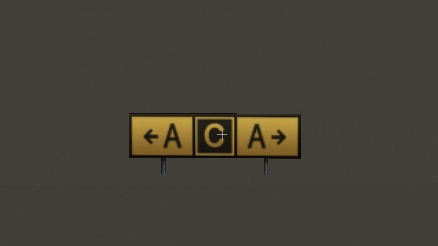
20 42.363178 -71.012238 110.0 {@R}22R-4L{@@}4L-22R
and here's an example sign (not the same as the apt.dat example listed above):

The basic idea is: a sign has a latitude and logitude location and a heading (in this case 110, so the front of the sign is visible when parked to the east). The text of the sign is plain text - special characters are put in braces {} and special formatting starts with a @ character. @R turns the sign red, @Y yellow, etc. and @@ changes to the back side of the sign. Arrows are specified with a ^ followed by the direction, so a left-downward arrow is ^ld.

Monday, June 26, 2006

SPAM - the cure is worse than the disease

Well, the disease is pretty bad too. I spend more time than I'd like to admit to Austin deleting ads for blue pills, credit cards, and dirty websites on the XSquawkBox forums, this bog, my in-box, etc.

Unfortunately one of the side effects of all the spam floating around out there is that anti-spam software is starting to defeat normal communications.

Email is the primary means of communications within Laminar Research and we periodically lose valuable development time when one of us ends up black-listed on an anti-spam list.

Recently I've also been hitting cases where I either can't return an email from a user at all (they can email me but I get spam-filtered when I reply) or the reply requires me to authenticate myself in some way (which takes away from the total volume of email I can answer and makes everyone's responses slower).

So if you have emailed me about scenery and heard nothing it could be my horribly clogged in-box, which is months behind, but it could also be that I emailed you but was a casualty of the war on spam.

Friday, June 23, 2006

The little things...

It's the little things that often take the longest to program, or at least make developing a feature take longer than expected. But I think flight simulation has reached the point where the details are what matters.

Trivial example: if we have a runway that's shorter than 9000 feet and about an even multiple of 1000 feet then the distance-remaining signs (every 1000 feet) from the two directions may be too close to each other or even overlap. X-Plane 850 will detect this case and generate a single two-sided distance-remaining sign (like real life), so that the signs don't obscure each other.

If the runway length is such that merging the signs would create too much error in their measurement, or we only have a sign in one direction, there is no merge.

The 850 airport code is full of tiny details like this.

Monday, June 19, 2006

Cleaning up the house

In Austin's recent post to the news list he mentioned that we'd cleaned up a lot of code internally, making X-Plane tighter, leaner and meaner. But is this really a feature, something that you would care about as a user? I can think of at least 3 ways it directly affects the sim.

One difference between X-Plane and most other software is that you can email the authors and ask for a new feature and possibly see it within a few months. But when we evaluate feature requests, time to develop the feature is a big consideration. Having a cleaner code base means we can put new features in faster, which means everyone is a little more likely to get something new. (Of course, we can't do every feature that is requested...this only improves the odds a little.)

Similarly, X-Plane is a subscription - so the amount of improvement you see across a version of X-Plane is directly affected by our ability to put new stuff in quickly. I've worked at companies with a range of policies toward code clean-up, and I've found that Austin's policy of "constantly keep your house in order" (with major code cleanup on a monthly, not yearly basis) results in us being able to get a lot of cool things done without being held back.

Finally one direct result of code cleanup is often performance. For example, under the old code we really had two rendering engines. One handled DSF and ENV scenery, and the other handled airports, superimposed on top of them. Each one knew how to draw a bunch of triangles. Each one knew how to decide whether triangles needed to be drawn. Each one knew how to check whether the plane was on top of some part of the scenery (e.g. a runway or the ground).

This was bad for two reasons: first, it meant we spent twice as long working on anything - once for airports, once for scenery, and second, the two engines were not equal. It turns out the DSF/ENV engine, which is newer and has had a lot more time spent on it can out-perform the old airport rendering engine. This was an issue for 840 but is an even bigger issue for 850, where we want to make airports much more realistic.

By merging thet two and using only our better engine for both, we not only clean up our code, but airports render faster immediately. I do not have final stats on this, but the speed improvement is variable - anywhere from as little as 10% faster to as much as 50% faster depending on the view angle, airport chosen, visibility, etc. So even if you end up turning off all of the new 850 visual features and go for speed, 850 should still be an improvement.

Tuesday, June 06, 2006

New Toys For 850

A DSF can place polygons (beaches, facade buildings, forests), points (objects), mesh patches (terrain) and vector networks (roads). Note that while there are only four geometric types in DSF, there are now six "graphics" types. The versatile DSF polygon can be a beach, buiding or forest depending on what type of text file the DSF links to. This gives us a way to expand X-Plane scenery and invent new tricks without changing the fundamental DSF file format.

A few new graphic types will be coming to X-Plane 850, all based on polygons:
  • Draped polygons overlay the terrain with a texture - useful for making custom airport pavement or fixing some terrain in a city.
  • A "string of objects" follows a linear path placing objects periodically - useful for putting down airport lights or putting a row of bushes between two farm fields.
  • A "ground marking" type places a painted line on the ground - useful for airport markings, for example.
In all three cases, these tricks are available in the new apt.dat version 850 based on some predefinde types (a yellow taxiway line, green taxiway centerline lights, concrete apron pavement), but are also available in the DSF in a customizable manner. This will allow you to use these powerful techniques outside the airport environment or with custom artwork.

Monday, June 05, 2006

How Many Cessnas can fit on the head of a pin?

When is up really up? X-Plane has two choices when you try to build something that goes "up" in the scenery system:
  • Up can mean straight up against gravity. For scenery far away, up is no longer parallel to up nearby because the Earth is round.
  • Up can also mean up in the XYZ coordinate system. This is the same as up against gravity at the center of loaded scenery, but wrong for everywhere else.
So what does X-plane use? Well, it depends on what we're doing. Usually up against gravity is the "right thing to do", but often XYZ up is close enough and a lot faster, so we sometimes take that shortcut for frame-rate. Here's a rough breakdown:
  • For DSF terrain meshes and objects, up means against gravity.
  • For roads, forests and facades, up means XYZ up.
Now in X-Plane 850, we try to move scenery around the world rather than rebuild it. But 3-d stuff like roads and facades are only built very near the plane (which is very near the center of XYZ space), so generally speaking when a road, forest or facade is built, XYZ up is really going "XYZ" up. (If that didn't make sense, don't worry about it - my point is only that scenery shifts don't affect this discussion.)

X-Plane 850 will allow a number of 3-d definition-types to interact physically with the plane: objects can specify the surface type for their hard surfaces on a per-triangle basis (e.g. grass, concrete, asphalt). Facades can have hard walls or hard roofs, and segments of roads can be hard. (This will make it possible to land on the roads again IF we can apply these attributes to our definition files.)

So how many Cessnas can sit on the edge of a fence? Well, if that fence is straight up (and I mean "XYZ" up) then none. X-Plane checks for collisions and ground contact by looking straight down (XYZ down, not against gravity) to find what is below the plane. A truly vertical triangle has no width when seen from straight above, so the plane can never sit on it.

(Lest you worry about the imprecision of this, please note that when you are on top of something, the distance from your wheels to the geometry is 0 meters, so the error between the two "ups" is 0.)

When you are making an object, remember that the object is not facing XYZ up, but rather it is slanted based on the curvature of the earth. So a perfectly vertical wall might actually not be vertical and might thus work as a hard surface . Similarly an almost vertical wall might become vertical and not work. The safe thing to do: make sure that all hard surfaces are not even close to vertical. 45-degree slopes, etc. are okay though!

For a facade, the walls cannot be hard because they will always be perfectly vertical. This presents a problem if you want to make a fence that the plane can't pass through. One solution: use the angled roof feature of facades to curl the top of the fence in at a 45 degree angle. That segment of the fence won't be vertical and will cause the hard walls to work properly. (In fact, hard walls in facades will be provided in 850 specifically for this purpose. For a building, the walls are vertical and the roof can be hard.)

Sunday, June 04, 2006

Why not make everything lit?

There are costs to every feature we put in X-Plane...the obvious ones include:
  • The time to code the feature.
  • The time to test the feature.
  • The time to recode the feature if we ever rewrite the rendering engine (which we do fairly often to try to take advantage of the latest graphics technology).
There are also some less obvious costs:
  • If a feature isn't used often, it's more likely to end up broken without anyone noticing, reducing the overall quality of X-Plane.
  • We have to keep track of our use of graphics card resources. If we add a feature (like lighting) now, perhaps this will prevent us from reliably putting a new more improtant feature in later because some scenery may be using all of the card's resources.
For example, what if we discover that we can make crashing waves, but only on unlit beaches? If we never added lit beaches, we know this is safe. But if we do support it beaches, then perhaps there is some scenery out there for which the crashing waves won't work because we can't have both.

The moral of the story: laziness is good! Since every feature costs, there is sometimes an advantage to waiting until someone asks for a feature before coding it.

Should everything do everything?

You may have noticed: all of the "artwork types" (objects, terrain, roads, beaches, etc.) now do textures in almost the same way - with a TEXTURE command and a TEXTURE_LIT command. (Two notable exceptions: beaches and forests can't be lit yet. We haven't found a case where this is a goood idea but it may happen...nuclear accident anyone?)

The idea here is to unify aspects of all art files so that when future extensions come along, they can be used everywhere. For example, some day we will have textures whose choice is controlled by datarefs. When this happens, because every art file uses a similar mechanism to find textures, we can introduce commands not only in the terrain, but also in objects, facades, roads, etc. so that any type of art can be made seasonal.

This got me thinking about whether all aspects of every artwork type should be available in every file. I think the answer is...sometimes. For example, being able to use lit textures
everywhere is a good thing. But should it be legal to make hard polygons out of every art type? Definitely not every type. Terrain's "hardness" for example is decided inside the DSF, so the only question is "how bumpy should the ground be when it is hard". Objects let you control these things per polygon. But if we have hardness for a facade, how would we specify hardness? Perhaps just whether the roof is hard or not...

I think that X-Plane 8.50 will have more overlap in capabilities between the various types of 3-d "stuff" (beaches, objects, roads, etc.) but we still won't have 100% of all features in every file type. Some combinations just don't make sense.

Thursday, June 01, 2006

A subtle change in blastpads

Two, actually...we'll see if these behaviors show up in beta...

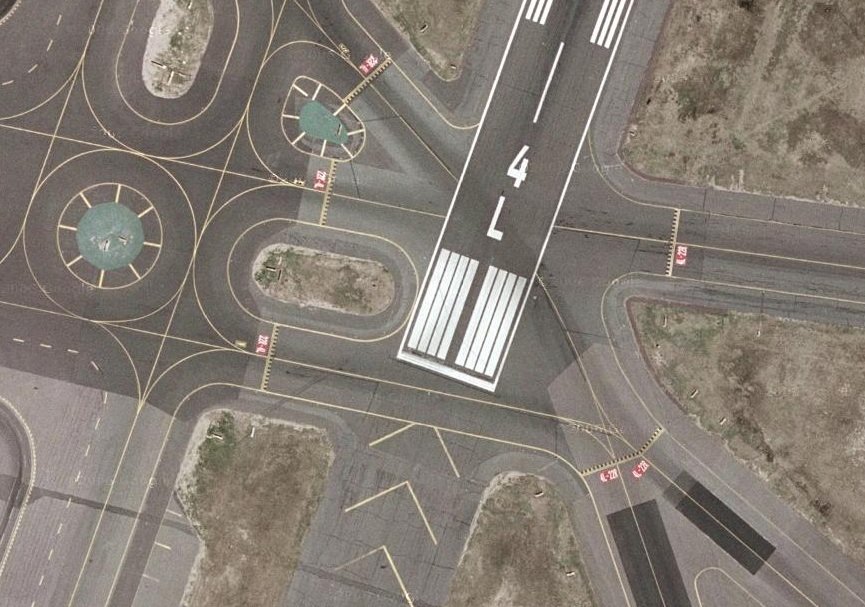
This is runway 4L at KBOS, from Google Maps. Note that a taxiway travels behind runway 4L on top of the blastpad.

Now compare how these look in X-plane 840 and X-Plane 850..

In X-Plane 840, the blast pad goes over the taxiways. This is fixed for 850. However you can see that the author may have been expecting this effect - there's a lot of taxiway pavement put down around this junction. The new apt.dat format will alleviate this to some extent by allowing pavement to be shaped in arbitrary polygons, making overlapping no longer necessary.

A more subtle shift: note that the threshhold is not in the same place in 840 and 850. This is because in 840 the blastpad (like most of the runway) is built in square tiles. Since the runway is 150 feet wide, the blastpad is rounded to a mulitple of 150 feet long. In 850, the blast pad is chopped at the exact point, so the threshhold can be where it is supposed to be.

Wednesday, May 31, 2006

Airports for 850

The 850 airport RFC is on the scenery site now. It may seem very vague at this point - this is intentional; the next step will be to go through the file format and make sure we have all of the features people want: the right colored lights, the right types of pavement.

So if we're not doing that yet, what is the point of the RFC? Well, we've been debating "next-generation" airports (meaning a system that provides something more flexible than a set of overlapped quad-polygons) for years now, trying to weigh the alternatives. Here's a summary of how the new scheme compares as an approach:
  • The new apt.dat is a "low-level" approach. The old apt.dat format didn't allow us to analyze the taxiway layouts to determine what represented a single taxiway - it was just concrete that we hoped looked right based on user design. The new format continues this; we give you the flexibility to make almost anything and hope you pick something good.
  • Non-runway pavement is changing to bezier-curve-based polygons, for a lot of control and flexibility over the look of the layout. One advantage of bezier curves is that the sim can render the curves using more triangles on faster systems (for a nicer look) and fewer triangles on a slower system (for better framerate).
  • Runway lines and markings are relatively independent of the pavement. While they can be embedded on the edge of pavement, they can also be placed anywhere you want.
Here are some things you won't find:
  • There won't be a lot of new objects - those belong in overlay DSFs.
  • There aren't "ATC" features (e.g. names of taxiways, paths for AI planes to take) - those will be added when we're ready to code them in the sim.
  • There's almost nothing automatic. X-Plane doesn't analyze the apt.dat file and place signs, lines, lights, etc.
To elaborate on this last point: image for example that we're going to spend the time to code an algorithm that generates taxiway lines that go from a parking spot to a taxiway. We could put this algorithm in WED or in the sim. If we put it in WED you can run the algorithm and then fine tune the results if you don't like it. If we put it in the sim, then you're stuck with the results untuned, and the algorithm has to run while you're flying.

So in this sense the 850 apt.dat continues the direction DSF took of making a flexible low level format that leaves the ultimate decision of how the scenery looks in the hands of the author (by editing the file) rather than in the hands of the sim.

Thursday, May 25, 2006

Object Layer Control

This picture shows explicit layering control for objects, a proposed extension for X-Plane 850. In this case the blue square, red square, and yellow cube are three separate objects, all sharing a texture. The blue and red objects use polygon-offset (ATTR_poly_os) to avoid flicker. The blue and red objects also contain an experimental layer controll attribute (ATTR_layer_group. The red object has a layer number lower than airports, putting it under the runways, while the blue object contains a layer number higher than airports but lower than 3-d objects, guaranteeing that the yellow cube goes over it and not vice versa. Without these the load order would be random and every object would be on top of the runways.

Wednesday, May 24, 2006

New Lights in Old Scenery

The performance of the new X-Plane 8.50 lights using pixel shaders is looking good. However, old scenery that uses a lot of lights won't benefit.

The problem is that the old lights were subject to ATTR_LOD limitations. Outside the last LOD the lights disappear; authors usually do some creative things with the LOD of the object to make the lights appear at the right distances.

But the new lights are drawn independently of the object LOD. This is good - it means that a low-LOD object (good for framerate) can still produce a light visible a long way away.

The problem is - these two things are not compatible. So we don't use the new light technology for existing OBJ lights.

If you want to use the new lights in your scenery and you have a "point lights object" all you have to do is convert the object to OBJ8 format (if it isn't already) and then substitute the old light commands for the new ones. If you have two LODs you may want to delete one, as it's no longer necessary. Change the OBJs and leave the ENV or DSF alone and you should see a performance increase on hardware with pixel-shaders.

(Yes, you can use OBJ8s with ENVs. I don't recommend it, but when X-Plane finds a custom object in an ENV it will read it no matter what version - 2, 700 or 800. So if you have a custom ENV package with orthophotos and point lights you can convert them.)

Sunday, May 21, 2006

Why Show/Hide Is Tricky

I've been asked by a few object authors to put a show/hide command in the OBJ8 format for more advanced animation. It turns out this is trickier than you might think. For example, consider this set of OBJ8 commands (based on a hypothetical ANIM_hide command):
ATTR_flat
TRIS 0 30
ANIM_begin
ANIM_hide sim/flightmodel/whatever
ANIM_smooth
TRIS 30 30
ANIM_end
TRIS 60 30
What's tricky here is: the use of state changes inside the "hidden" part of the object. Should the triangles after the animation be smooth, flat, or change depending on the animation?

Internally X-Plane has an object optimizer; when objects are loaded we analyze it and attempt to reduce the number of total commands, so that object drawing is as fast as possible. I strongly recommend you optimize your objects heavily - if we optimize, we might make the object faster, but if you optimize you will make it faster. Our optimizer is aimed at speeding up internal commands that are generated by X-Plane as it translates the object from OBJ7 or OBJ8 to our internal memory structure.

The problem with using show/hide to optionally skip commands is that the optimizer can no longer remove state changes. Because we don't know whether we're flat or smooth (after a hide command) we can't know whether the next flat or smooth attribute is needed or unnecessary. So if show/hide is truly conditional (meaning it can skip commands) then it actually can cause things to be slower because it prevents X-Plane from removing unnecessary state change.

(The case of smooth/flat might seem trivial and contrived; it is. But there are additional "hidden" attributes that are generated by X-Plane as it translates the OBJ into our in-memory internal format. So state change can come from places you might not expect. Thus it's important that the optimizer do its best to remove state change that can't be addressed in the OBJ itself.)

The alternative (and one that is more likely to get implemented) is show/hide as state. Under this model, the full object is completely evaluated, but the ANIM_hide command basically causes triangles to not appear. This is similar to the workaround that people are doing now: using ANIM_translate to move the unwanted geometry a very long way away (and hoping it is out of sight).

Show/hide as state makes a trade: all commands are executed always, so we run no faster by hiding, but since the execution of the object never changes its flow, it can be more heavily optimized.

I am currently leading toward the latter approach for this reason: currently objects are slow because the CPU must do the work of state change (ATTRibutes, etc.). But graphics cards are becoming more sophisticated; in the future it may be possible to run an object with state change as a single command for the graphics card, with no CPU intervention, making things faster. But the graphics card does not yet have the ability to handle conditional logic, so show/hide as conditional logic could stop us from fully utilizing the graphics card in the future.

(Some OpenGL geeks may be thinking now "but the latest graphics cards do have conditional logic". This is true, but currently it is only usable in shaders; the cards do not yet have the ability to skip whole commands conditionally. I believe they will be able to handle static state change before they can handle conditional state change.)

Tuesday, May 16, 2006

New Years Resolution, sort of...

Normally I try to avoid saying anything about future releases; I find that pre-announcing things just induces Murphy's Law...something unexpected goes wrong, and people are disappointed when what we ship turns out to not be what we thought we shipped.

So at risk of getting myself into trouble, let me say this:

It is my goal to ship the first version of the graphical DSF overlay
editor concurrently with X-Plane 8.50.

That's an aggressive goal, because X-Plane 8.50's going to have a lot of features in it, so Austin and I are really busy right now. But hopefully by putting it out there, I can hold my own feet to the fire and get this important tool out to users!

Friday, May 12, 2006

The AC3D plugin doesn't optimize!

A quick note on the AC3D plugin based on a conversation wtih Tom....

The AC3D X-Plane OBJ export plugin is not an optimizing plugin - it is meant for "finishing".

The idea is that the plugin can edit an OBJ and preserve almost any strange sequence of attributes you come up with. If you've carefully ordered your polygons and used ATTR_no_blend and a bunch of other tricks to use translucency and other tricks, the plugin will not scramble your work, but will preserve it. This lets you put the finishing touches on your OBJ, hence a "finishing" plugin.

The other side of this is that in preserving your object, the plugin does not attempt to make any optimizations that would reorder your object. So if you "ask" the plugin to make an inefficient object by using lots of state changes, it will do so and your framerate will suffer.

Basicaslly there is a direct correspondence between the model in AC3D and the exporter OBJ file. So to use AC3D efficiently you must understand both what makes an OBJ fast (not using ATTRibutes among other things) and how you do these things in AC3D (not using flat shading at all, for example).

The best of both worlds would be of course to have a menu option to optimize a model, which would let you optionally change polygon order for speed. This is something I would like to do but I'm not sure when I'll have time to code it.

PNG format and alpha

850 is turning out similar to most feature-based X-Plane releases - like a tropical storm picking up speed features keep getting sucked in, creating more chaos in its core. I thought I would be working on airports and lighting only for 850, but there's already a number of other things floating around in the release. The end result should be better visuals.

A quick note on usage of PNG: the formats of X-Plane and PNG images are not quite the same.
  • To provide a non-alpha image in X-Plane, use an RGB or grayscale PNG.
  • To provide an image with alpha in X-Plane, use an RGB or grayscale PNG with an alpha channel.
  • To provide an alpha mask in X-Plane, use a grayscale PNG.
This last case is the strange one: as far as I can tell PNG does not allow an alpha-only image. So when X-Plane needs an alpha mask (a 1-channel image) it uses a grayscale (1-channel image).

Also please note tht you can use a color or grayscale PNG for a color texture, but internally X-Plane always operates in RGB, so you don't save any VRAM by reducing your PNGs to grayscale. You might save some space on disk.

Saturday, May 06, 2006

Use of LOD with objects

First the basics: you can use the ATTR_LOD command in an object to specify what distance range an object is seen from. This has two implications:
  1. You can have your object look different (and usually less complex) from farther away.
  2. Probably more important is - your object is not drawn from arbitrarily far away. All drawing is bounded!
This second aspect is actually the more important one...because at any given time most of the objects in the sim are too far away to draw due to LOD! But this begs the question: what happens if you don't specify ATTR_LOD at all? Is your object drawn from hundreds of miles away?

The answer is: if you don't specify ATTR_LOD X-Plane calculates an LOD for your entire object that starts at 0 meters and goes to a distance where we think no one would care if your object disappeared. The calculation is based on the bounding sphere of your object.

Our built-in algorithm usually works pretty well, but there are some cases where it gets fooled. One important case is: when you merge two small objects into one big object, the LOD distance goes up, because the total area that your object covers goes up!

What this means is: if you have a dozen small taxiway signs from XTaxiMaker, they'll all disappear relatively quickly as you go away from the airport, protecting framerate (by keeping the number of drawn objects down). If you merge those into one big object, the performance of the sim changes in two ways:
  • Framerate when the objects are drawn goes up - we now draw one object instead of five. The number of objects drawn is very important to framerate.
  • The objects will be drawn more frequently, so overall framerates maybe lower.
The moral of the story is this: if you merge objects for performance, be sure to insert an ATTR_LOD statement that is apporpriate to the actual distance at which point the objects are invisible, not the total "radius" of the object! Taxi way signs are not needed after 1500 meters, even if they cover the whole airport. Similarly some packages have taxiway markings in an OBJ. These objects usually cover big areas but the lines themselves are so thin that they aren't needed when far away.

(Also beware: LOD is calculated frmo the middle of the object, so if the object is huge, take that into account.)

As a final note, ATTR_LOD is "free". X-Plane will calculate and check LOD distances on every object no matter what. If you don't use ATTR_LOD, one is generated for you. So there is no harm in adding ATTR_LOD to your object. Your framerate will only go down if you pick an LOD that is larger than the sim would have picked for you.

Thursday, May 04, 2006

Taking a Detached View

EDIT FROM 2/19/07: during X-Plane 850 when I was developing the new lighting system (particularly used for airports, but also for the rest of scenery) I brought up the subject of "detachment", a internal process by which the X-Plane rendering engine processes lights.

Simply put: detachment is virtually never a factor for scenery authors. Back when I wrote the article, it was possible for an author to make a few special optimizations if he or she knew about detachment. This is no longer true! The sim will correctly optimize all lighting cases as much as possible without any special help from the author.

So....the blog article in its original form follows and may be useful as an insight into how X-Plane works, but as an author, just remember: you don't need to do anything - just make nice OBJs.

I think I've confused just about everybody in the last few days - especially Sergio and Austin - with work on the new lighting system. One reason I'm so scrambled: the internal representation of lights in X-Plane is very different from the commands you can put in an OBJ8 file. So there's a whole set of terms and ideas that are important to how X-Plane works that I shouldn't have mentioned to anyone making OBJ8s because they won't even be part of the file format.

Then there's detachment. I think I can explain it simply like this: detachment is when X-Plane changes the order that lights are drawn inside an OBJ and the LOD ranges in which they are drawn to improve framerate.

X-Plane 840 does not do detachment. X-Plane 850 will probably not do detachment for objects made only with the old lighting commands. But 850 will do detachment for objects that use new (to 850) lighting commands, and this will allow those objects to render very quickly even with textured lights.

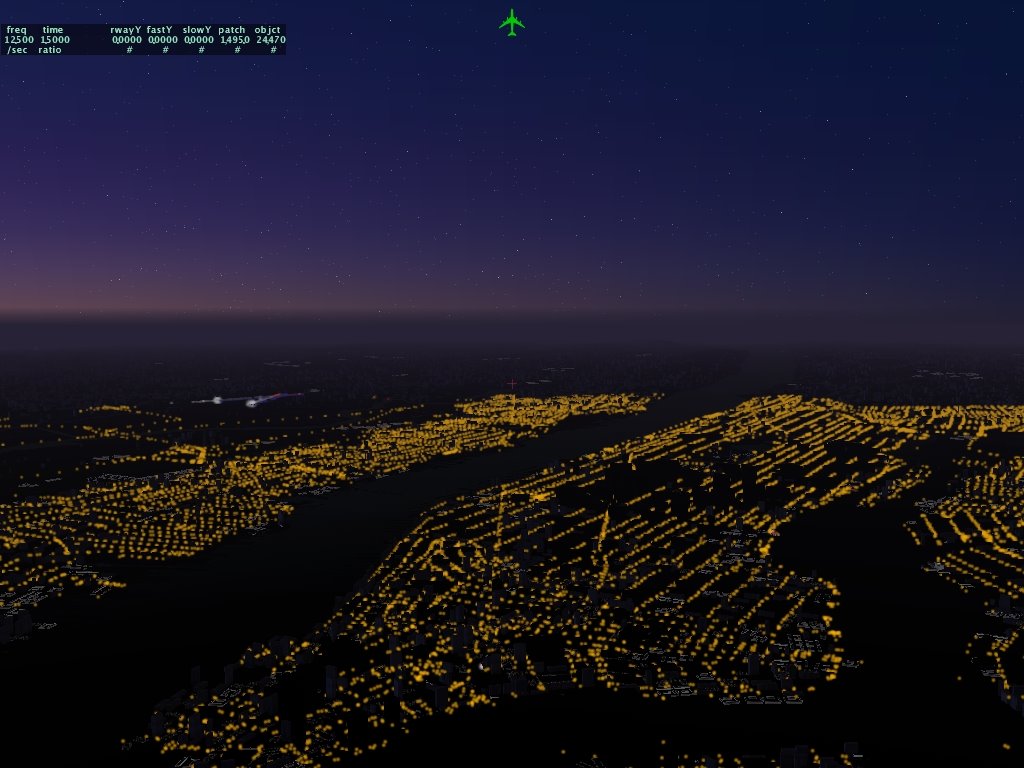
This picture is actually from X-Plane 8.03 I believe. It's a simple trick: edit the roads file to add street light objects along all roads. Make a street light object with a light command and then turn roads on and watch teh city at night appear.

The only problem is the frame-rate - this experiment brought 8.03 to a standstill.

The goal of detachment is to make textured lights in objects fast enough that this kind of scene can be rendered at reasonable framerates. I do not know if this will be possible, but detachment should certainly improve performance in cases like this.

Wednesday, May 03, 2006

High Level or Low Level

In considering how we design new scenery features, we have to choose between a high level or a low level approach.
  • In a high level approach, we describe the data abstractly as possible. "Taxiway light" is a pretty high level description.
  • In a low level approach, we describe the data as specifically as possible. "Light whose RGB value is 0.1,0.1,0.9, with a halo, 0.4 meters above the ground, with texture coordinates..." is a very low level description.
In favor of a high level approach is performance and ease-of-use. For some catagories of usage, it's easier to work with high level primitives because the description is less tedious. It's easier to plot taxiway lights than to describe one. High level primitives also make performance easier: it gives X-Plane the freedom to draw taxiway lights in the fastest technique possible.

Low level approaches offer flexibility. Authors can make up lights we've never heard of before. It also means less code; there are perhaps a few dozen distinct types of lights in the airport area, all of which must be programmed, but code to handle a generic light of a given color can be written once.

The danger of a low level approach is that we could allow a scenery construction that is difficult to support in the future, and then have to choose between sacrificing performance and breaking backward compatibility. Neither option is much fun, which gives me pause in considering such design decisions.

At this particular instant for lights I am looking at a two-tiered approach:
  • Simple mode lights will provide only the most basic lighting "tricks" (flashing or turning on at a certain time of day) and will be very fast. Because these lights are not very flexible, X-Plane has a lot of room to optimize how they work.
  • Complex mode lights will do almost anything but be relatively slow (meaning the same speed as textured lights now). This will let us do the really tricky lights like airport beacons, which are complex but fortunately don't have to be fast because they are relatively rare.
So to answer the general question "why don't you let us customize XXX", the answer is often: if we let you do whatever you want with the scenery itself, then we can't do whatever we want with the rendering engine, and that could mean slower performance on future hardware. The design decisions are a compromise of flexibility and performance.

Thursday, April 20, 2006

Scenery Tools and Packages

The new scenery tool will work with scenery packages. Here are some details:

The new scenery tool will use a "working scenery package." This is a normal X-Plane scenery package (preferably in a custom scenery folder in an x-system folder) with an extra folder that contains the "in progress" materials - your working master copies of scenery that will be saved later as DSF files.

This way the scenery tool can easily find all of your objects (using the library system) and display them as you edit, and X-Plane can show the objects in the package. When you finish editing a scenery file, you export and the scenrey tool saves a DSF in the Earth nav data folder.

The idea is to provide a single folder containing all of the resources (in progress and finalized) for your scenery project in one place. When we were working on global scenery last year, we had several folders that could be in different places, and the result was total configuration chaos. With the package system, all of your work is together - easily backed up, shared with other authors, and kept separate from other versions or works in progress.

Monday, April 17, 2006

Orthogonality

With regards to the scenery system, the idea of orthogonality is this: each part of the scenery system should be unaffected by other parts, such that they can be used together in any combination. This allows you the most options in creating scenery for a given set of features.

One way we try to achieve this is by only having one way to implement any particular feature. For example, because it is possible to place custom objects in overlay DSFs, we are unlikely to allow custom objects to be placed via the apt.dat file. Having two ways to place custom objects would invariably lead to subtle differences in how the two worked; not all features would be usable everywhere. It would also mean more code (read: longer time before you get to use the feature) and more subtle bugs.

Once we have a feature only available in one form, we can try to use that mechanism everywhere. For example, objects can be animated. Because any object can be animated and objects are used both for cockpits and scenery, the work we did to provide animation allows for animation in both scenery and the cockpit. When we get cars back on the road, they'll probably be objects; navaids are also objects now, and someday hopefully ships and oil platforms will be too. Each time we recycle OBJ8 for a part of the system, animation becomes possible in a new domain.

So usually the 'orthogonality' strategy, code something once and use it everywhere with no duplication, means more flexibility and features being usable over a wider area. Every now and then though it bites us in the ass. Flexibility is a strength and weakness; the more we allow any part of the scenery system to work with any other part, the more likely two parts will be used together in a way that we never expected, potentially revealing bugs.

Here's an example that I only realized existed today, after talking to Peter about animation: it turns out that if you use a textured light inside an animated object, the light (which is secretly a flat square that always points at the camera) will actually turn with the object, revealing that it is flat, and being invisible most of the time (either because it's facing sideways and is very thin, or because it's facing in the other direction entirely).

The problem is: when working on animation, I forgot about the textured light system and forgot to cope with the case where they interact. When the code is truly separate, an orthoganal design works well; where the code has internal interactions, it does not.

Do you care? Well, we are looking at some new features for the textured lighting system in 850; there is probably going to be some fine print about how you can use the new textured lights with animation. Even though the features are orthogonal, the code that runs it is interdependent, so some cases may not work right without extra work. How many strange cases we fix, and how many we say "just don't do that" for will depend on how useful they really are. For example, not being able to have lights on animated objects at all would be a real limit, but perhaps not every kind of light needs to be usable within an animation. For example, VASI lights are usually just mounted on the ground.

Monday, April 10, 2006

Quiet on the Western Front

I'm back, but things will probably be quiet a bit. A lot of new scenery features will be going into 850, but it may be a while before 850 is ready for test due to how much is going in. I'll post more as I know it - my work for 850 will be mostly focused around improving the look of airport areas.

Wednesday, March 29, 2006

Gone Fishin'

I'll be out of the office for the next eight days; please be patient with bug reports and scenery questions. An X-Plane RC should come out soon and we'll let it sit a bit to see how it does. I think we got the fog bug fixed!

Tuesday, March 28, 2006

Disappearing Objects Take 3

In version 840 I tried to fix a persistent bug in X-Plane where objects sometimes randomly disappear...turns out I got the math wrong.

The next 840 beta (which I think will be called "RC1", but I am a poor predictor of these things) has a bug fix to the bug fix. I don't know how many of these bugs this will fix (some appear to be due to driver issues) but I think we'll be closer.

Friday, March 10, 2006

The data wants to be free!

I try to avoid politics in this blog, but this article that Jonathan Harris posted to the scenery list is pretty topical to X-Plane.

http://education.guardian.co.uk/universityguide2006/story/0,,1726985,00.html

Of course I am biased - low-cost high quality data (SRTM, Tiger, etc.) make it possible for a small company like X-Plane to create high quality scenery. But I would also add two more thoughts:

1. Knowledge is crucial to the healthy functioning of a democracy. Without good digital maps, you can't apply modern tools to understanding regional trends, environmental problems, electoral districts, etc. Knowledge shouldn't just be for the rich (or big companies).

2. Geospatial data is infrastructure - free or cheap GIS data make a country a better place to do business. I think in this global economy every national government needs to be asking "what are we doing to make sure our citizens will be competitive on a global level." There's no question that having good roads and transportation infrastructure are important for a national economy, but I would submit that having good digital infrastructure will become important too; in that context it's appropriate for a government to make the data free (and take the local loss in the providing agency) to foster growth, employment, and the well-being of its citizens.

Just my 0.02...

Thursday, March 09, 2006

apt.dat - a fundamental shift

Long time no post - it's been a busy few weeks, helping friends with projects and traveling. There have been some lively discussions on the scenery list though!

I've been tossing around the idea for a fundamental change in the way the apt.dat format handles metadata. It's subtle but I think it has some far-reaching implications.

Right now the apt.dat format is pretty high level. Let's use taxiways as an example: a taxiway has a light code that indicates whether the taxiway has blue edge lights. This has two effects:
1. The information about whether the taxiway has lights is preserved.
2. You can't put blue edge lights down without a taxiway.

I am exploring the idea of entirely separating edge-lights/lines* from taxiways. This would mean that:
1. We'd have no idea about whether the taxiway has lights. There may happen to be lights nearby, but we can't be sure of where they come from and
2. We can put lights anywhere.

The shift is fundamental because it is reducing the amount of high level data and increasing file size in return for gaining flexibility with a simple system.

Anyway, email me if you have thoughts on this...food for thought.

* The exception will be runways. We will be supporting all existing data in the apt.dat format - nothing's geting dropped, and there isn't a real replacement for runways. Generally runways will still be built by saying "this is a runway and these are it's many properties" and letting the sim do the rest.

Friday, February 24, 2006

Objects and Drag

X-Plane 8.40b2 introduces the ability to attach multiple objects to the aircraft. This is a very powerful new feature.

Currently these objects are not part of th physics model. This may change during the beta, or not. Please do not attempt to do real work based on the beta - an X-Plane beta is a test version of the sim and may change radically due to bugs we discover. Until X-Plane is final please try features and report bugs, but do not assume the features will continue to work the same way.

Wednesday, February 15, 2006

Cockpit Lighting Weirdness

A few authors have asked me why the lighting looks different for the parts of a 3-d cockpit that use the panel. Here's what's going on:

The 2-d panel has 3-part lighting: the base background is lit by the ambient light levels with no regard to lighting angles. (Since the panel is 2-d we're not really in a position to light different parts of the panel differentially.) The panel is then additionally lit by the cockpit flood lighting and any instrument gauges are further lit by the instrument brightness, for example an EFIS.

The 3-d panel is then built by taking an image of the entire 2-d panel. Here's where things get tricky. The image of the 2-d panel has already been darkened by the ambient lighting levels and brightened by the flood lights.

If we were then to apply directional 3-d lighting (the way we do for normal lighting) we would further dim the panel (which would make it too dark) and we would dim the EFIS and other instruments.

But since we don't apply directional lighting, the panel texture does not match teh surrounding non-panel geometry in a 3-d cockpit.

There are a few possible things we can do about this:
1. We can leave things the way they are and require 3-d panels to carefully use the clickable parts only for small areas to minimize the visual impact of the lighting effects.

2. We can build the 3-d panel separately out of multiple textures. This would allow us to do truly correct 3-d lighting, but would have some pretty big performance implications. The 2-d panel would have to be rendered multiple times, and the total VRAM requirements would increase by several megabytes. Since the panel is never compressed or resolution-reduced, VRAM is a serious consideration.

3. We could disable all 3-d lighting for the 3-d cockpit. This would cause all geometry to match, but give the 3-d cockpit a flat look. Authors would have to build their 3-d lighting into their texture.

None of these options is ideal.

Tuesday, February 14, 2006

But you said that was impossible!

There have been a few cases where we've dismissed a feature request as "impossible" - only to then implement it later. There are a few reasons why this happens:
  1. Sometimes we're just wrong...we didn't understand an algorithm or know of a technology. Later research gives us a clue.
  2. Sometimes the underlying technology we use changes, either OpenGL and the operating system. (The joystick bundle was totally necessary for X-Plane through 832 since it was a CFM application - 840 is Mach-O, allowing us to run bundleless for the first time.)
  3. Sometimes we have to make changes in our own code. A feature that is near impossible in one version could be one line of code in the next. This is because so much of our features depend on underlying systems. We spend a lot of our time working on the underlying systems to make multiple features possible at once.
So please do not be surprised when the impossible becomes the possible; one of the things that makes flight simulation and enjoyable problem to work on is that new technology constantly unlocks new possibilities and lets us make each version of the sim better than the last in ways that would have been impossible.

Sunday, February 12, 2006

Emailus Overloadus

It's winter and I seem to have caught another case of Emailus Overloadus, also known as a clogged in-box. If you emailed me in 2005 and haven't heard back, please ping me again. If you've emailed me in the last six weeks, I apologize for the extended delays; I am trying to get to everyone in the next week or so. Sadly email seems to come in faster than I can answer it.

Friday, February 03, 2006

Fast Framerate with Old Scenery

I was investigating Anacortes, WA with version 7, 8 US and 8 global scenery this morning and had a (probably obvious thought): if your framerate is inadequate with the new global scenery, use the old scenery!

What's important to understand is: the amount of work to be done is defined by the scenery, but the capacity of the sim to do that work is defined by your hardware and the version of the sim! In particular, 835 is definitely faster than 820, which was faster than 800, which is faster than X-Plane 7. So you can use X-Plane 835 with old scenery and get a much higher framerate.

In the Anacortes area I'm seeing framerates in the 60s with global scenery, 90s with the US DSFs, and 120s with V7 scenery. In a direct comparison with all settings controlled, X-Plane 7.63 runs this airport at 52 fps, while X-Plane 8.35 runs the same scenery at 110 fps.

There are two things going on here: in newer versions of the sim we can use newer, more efficient techniques to talk to the card. These techniques are invented by the graphics card vendors to allow applications to take advantage of the ever-growing power of graphics cards. So a new X-Plane has an advantage over an old one in the way it utilizes modern hardware - hence the framerate improvements.

We are also "spending" that performance dividend to provide more realism. Here you can compare the look and framerate of the v7 ENV (top) vs the v8 DSF (bottom). We are utilizing higher performance to make scenery more realistic, but if you'd rather have the framerate just load up the old scenery. It still works, and it's very fast.

Thursday, February 02, 2006

It's a miracle anything works...

Two bugs we resolved today ...

One user couldn't use our installer - it always failed on the file FA-22_cockpit_OUT.obj.zip. After reporting this to us, he figured out that parental-access controls in his router were banning the file due to a certain 4 letters in its name. I feel lucky that the user diagnosed the problem because I never would have figured that one out!

Also we've had reports that X-Plane 832 is slower than 816 when used in a two-monitor instructor/visual configuration. Finally we figured out what this was - a bug in my code: I programmed X-Plane to reduce CPU usage when a "dialog box" is up (the instructor station is one such dialog box) to play nice with other programs. But of course in two monitor mode the dialog box is up and you're flying, so reducing CPU usage kills framerate. This will be fixed in 835.

What's funky about this second bug is the reason why Austin and I could not reproduce it: the bug only happens if you do not touch the mouse! Austin and I, while trying to debug, would mouse around and click on all sorts of things, and this would hide the bug. Real customers, in real applications, don't touch the mouse while doing commercial training. (UI programmers who understand how mouse cursor updates are done in Win32 and Mac OS will understand this behavior.)

If there's a moral to this post (and there probably isn't), it's that bugs are hard to catch and reproduce because there can be system differences between users and developers that are very subtle - assumptions so basic that they don't get questioned.

Wednesday, February 01, 2006

Boston Drivers

Last night I was looking at what it will take to put animated cars back on the roads in X-Plane. (I can't say if or when they will come back...that's a subject for another blog entry.) I found something that's going to be a little tricky.

Simply put, the road data we use in the US (Census TIGER data) does not contain directional information. It might tell us a street is one-way, but it doesn't tell us which way it goes!

In fact, the data doesn't even say which highways connect to each other! The road data is "flat". If two highways cross each other we see this as a four-way intersection. In the original US DSFs the roads were built with this flat pattern - sometimes you'd see a 10-way intersection of limited access highways.

In an attempt to clean up the highways for the global render I wrote some code that attempts to evaluate junctions for traffic flow. Basically it knows that two limited access highways at right angles cannot intersect and it moves one up in the air as a bridge. This process iterates a bit in an attempt to make a junction that is fully real-world navigable.

One advantage of processing the roads in this manner is that often it will remove bogus junctions, allowing us to continue straight roads. This both reduces file size and improves the look of the roads. (Our road junctions still look terrible - a throwback to a time when road-creation paused flying and therefore speed was at a premium over visual quality.) Unfortunately this "layering" code sometimes goes haywire and does some pretty strange things:
  • A highway may be put in a high layer in one junction and a low layer in an adjacent one; the result is a highway ramp that "dives" down at a steep angle to try to meet all of its crossing restrictions. The layering code isn't smart enough to find optimal junction ordering when there are many junctions nearby.
  • Sometimes the number of layers just gets huge, creating a massively tall junction. (But then, in Los Angeles perhaps this is realistic!)
How does this relate to cars? Well, what is significant here is that the algorithm does not consider directionality of one-way roads since we do not know it. Furthermore, the DSF optimizer, because it was written under the assumption that we really have no way to know which way a one-way street is going, will flip the direction of one-way roads to reduce file size. (Sometimes changing the direction of a road segment allows for tighter file compression.)

The good news is: DSF files do have a notion of direction, so if we ever get better road data, the sim and file format will be ready. The bad news is: the current DSFs have a road grid that may be similar to driving in Boston.

(As a side note, I grew up driving in Boston, so none of those rules seems even slightly unusual to me. What did surprise me was: when I moved to Washington, DC I found the rule that the cheaper car has the right of way turned on its head. I've never been cut off by more reckless BMWs and Mercedes in my life. You can speculate about what this says about the culture of our capital.)

Clearly X-Plane's car engine needs to address this in some manner. There are two cases that are tricky: one way roads that end at the destination of other one-way roads (leaving the car with no legal route) and one-way roads whose origin is not connected to anything but the origins of other one-way roads (giving cars no way to reach the road). The later case is not really a problem - it just means the road will have no traffic; the later is more of a problem as it requires the car to do something illegal to get out of the situation. I am still looking at what we can do about this but my guess is that cars are going to have to employ some Boston driving to get around the X-World.