Monday, October 16, 2006

Anatomy of the Scenery Tools

This is a description of what I am planning for the anatomy of the "full scenery tools". Until now we have only published small utilities (ObjConverter, DSF2Text, etc.). The next scenery tools release should cover a lot more, including the first versions of WED.

First of all, WorldMaker is not part of the next-gen scenery tools. WorldMaker is slowly going away, as functionality in WorldMaker is either moved directly into X-Plane for "live" use (navaid editing) or into the scenery toolset.

The new scenery tools will be a single distribution for all tools. In other words, instead of a download for each tool, you will download one archive that contains all of our tools and support files. They will live together in a single "install" folder.

The distribution will not be based on our installer - more likely they will just be a zip file. The scenery tools total size should be small enough that there is no need to do incremental installs. There is no need to put customized files in the scenery tools folder _ever_, so simply replacing it should be a non-issue.

The scenery tools will be completely separate from X-Plane itself and will have their own release schedule and versioning. The scenery tools contain no x-plane code and will also be available in source.

Some undecided issues:
  • What to call the main visual editor. The working name has been "WED" (WorldEditor) but that's so similar to WorldMaker that I fear total confusion. I am open to naming suggestions.
  • Whether to make a distribution or each platform or simply put all the EXEs for all the platforms in one download. I don't think code size will be so huge as to prevent this.
  • Whether to allow the scenery tools to be installed in any folder or to require them to go in /Program Files (Windows), /Applications (Mac) or /usr/local/bin (Linux).
One more change: currently I provide a GUI version and a command-line version for some converter apps. With the new scenery tools, I will provide a command-line version for each converter (like now) and a single GUI tool that can do ANY of the conversions that ALL of the command-line tools do.

In other words, for users who want a UI, you will be able to do model->OBJ conversions, ENV->DSF Overlay conversions, OBJ->OBJ conversions, and DSF<->TXT conversions in a single application. This "swiss army knife" GUI application will be extensible and will be our "master converter".

So the new scenery tools should include:
  • Many command-line tools for low level operation.
  • A swiss army knife GUI converter tool.
  • A visual scenery editor (WED).
  • The AC3D OBJ export plugin.
I do not know what the release date of all of this will be, and I do believe that the tools will come out in stages - that is, the first WED will not edit meshes, the AC3D exporter may not be included in the first release, etc. I don't want to hold up the availability of useful code (like a WED that can edit apt.dat 850 airports) because other parts are missing (like an AC3D exporter version 3.0).

Please do not email me to ask about release dates; now that X-Plane 850 is final, I am working on scenery tools today. I will post more info as I have it.

Saturday, October 14, 2006

Pixel Shaders and Scenery

X-Plane 850 was the first version of X-Plane to start employing pixel shaders -- they make the new hardware-accelerated lights possible. Our next step will be to start converting existing OpenGL code over to pixel shaders.

DISCLAIMER: these are my predictions for the future of X-Plane, not promises or guarantees. Do not base your purchasing decisions on what I say, and do not come back quoting this blog saying "you promised X". This is a statement of our intentions, but we cannot predict what limitations we could hit in the future, such as graphics problems we did not anticipate!

Right now X-Plane works based on individual selection of features - that is, each separate part of X-Plane examines our summary of a driver's capabilities and does what it can based on those capabilities. The result is good for users in that X-Plane's visual features turn off one-by-one as a card becomes less capable, leaving as much eye candy as possible.

What's bad about this technique is that there are huge combinations of possible configurations, more than we can test individually, so we sometimes have bugs that show up only with a peculiar combination. Since most of the code that uses this driver spec has been relatively stable we haven't seen a lot of bugs due to this in 830-850, but I definitely fixed a lot of configuration-related OpenGL bugs in the early v8 run when the rendering engine was new.

Pixel shaders (we use GLSL for the OpenGL nerds out there) will change that; the OpenGL shader spec is powerful enough that if we have it, we can do everything we want. So the new world of shaders will make X-Plane's visuals be either "you have it" or "you don't". This definitely helps us for testing - we can test the shader version, the legacy version, and that's it.

Remember the dark old days of X-Plane 6 when GeForce 4 MX's had two pixel shaders, but GeForce 4 Ti's had 4, and ATI cards had 2,3,4 or 6? Fortunately we're past that. The last three generations of video cards have pixel shaders and every card with shaders has 16 texture units, which is more tha enough for us.

Here are the cards that will support shaders, at leaset I think from the specs posted on the web (all suffixes have equal pixel shader capabilities - the suffix usually is about the speed of the card):
  • ATI Radeon 9500-9800.
  • ATI Radeon X300-x850.
  • ATI Radeon X1000-X1900.
  • nVidia GeForce 5200-7900.
  • Any card that hasn't been released yet will surely support shaders.
Here are the cards that X-Plane will run on but don't support shaders:
  • ATI Radeon 7000-8500.
  • GeForce 2,3, and 4.
  • Intel GMA950 (and probably a few other Intel chipsets I don't know abot).
I don't know about the old Rage 128 or original GeForce 256 - technically they probably meet minimum requirement, but they're so underpowered you wouldn't want to run X-Plane 8 on them. Also I don't think they ever came in 16 MB variants. I don't know about Matrox's compatibility.

To use pixel shaders you will also need reasonably new and modern drivers. Both ATI and nVidia ship modern drivers that support shaders fully, but very often what you get on your machine or with Windows XP does not. So if you have a card that supports shaders but don't see them, it might be time to check the vendor website.

For Mac users Apple shipped full pixel shader support in 10.4. So: if you have a card with pixel shaders and you use 10.3.9 you should upgrade to either 10.4 now or 10.5 when it comes out! Otherwise x-Plane will not have the right driver to utilize your hardware! An X850 or 7300 on OS 9 is definitely a waste of potential. (X-Plane 8.50 already has features that are only available to pixel-shader users on 10.4!)

I am excited about pixel shaders because we'll be able to finally fix some of the bugs we just couldn't fix before. For example, when you turn on the landing light, X-Plane's ambient lighting levels drop to pitch black. With pixel shaders we will finally have the capability to fix this!

Wednesday, October 11, 2006

High Altitude Object Placement

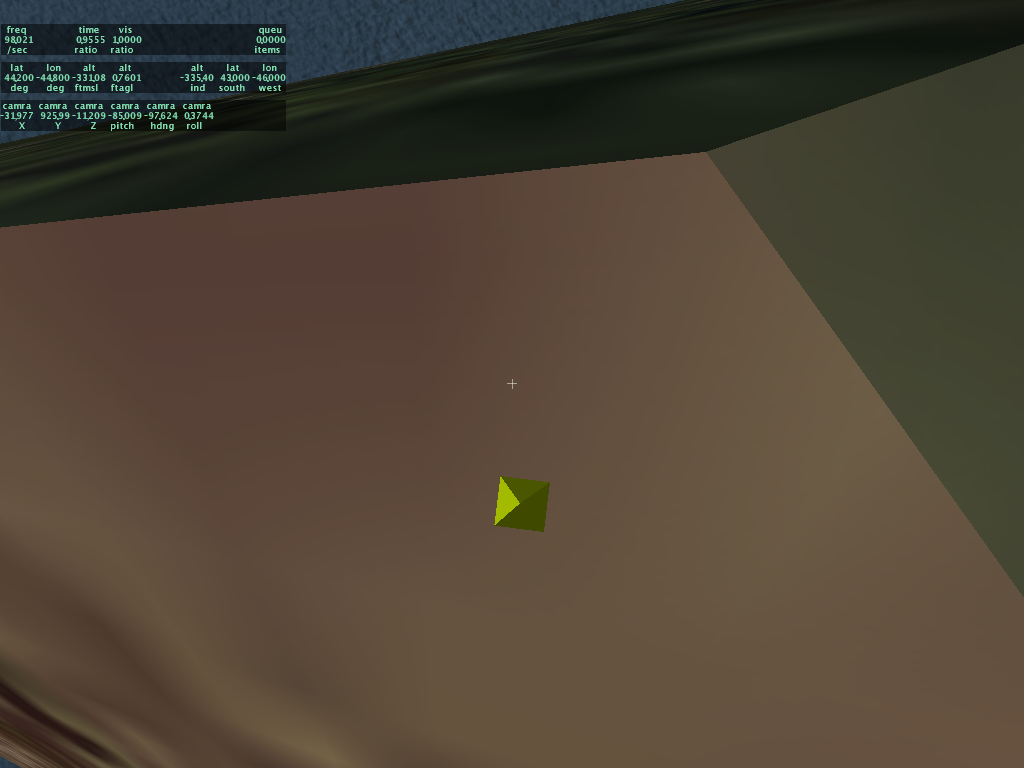
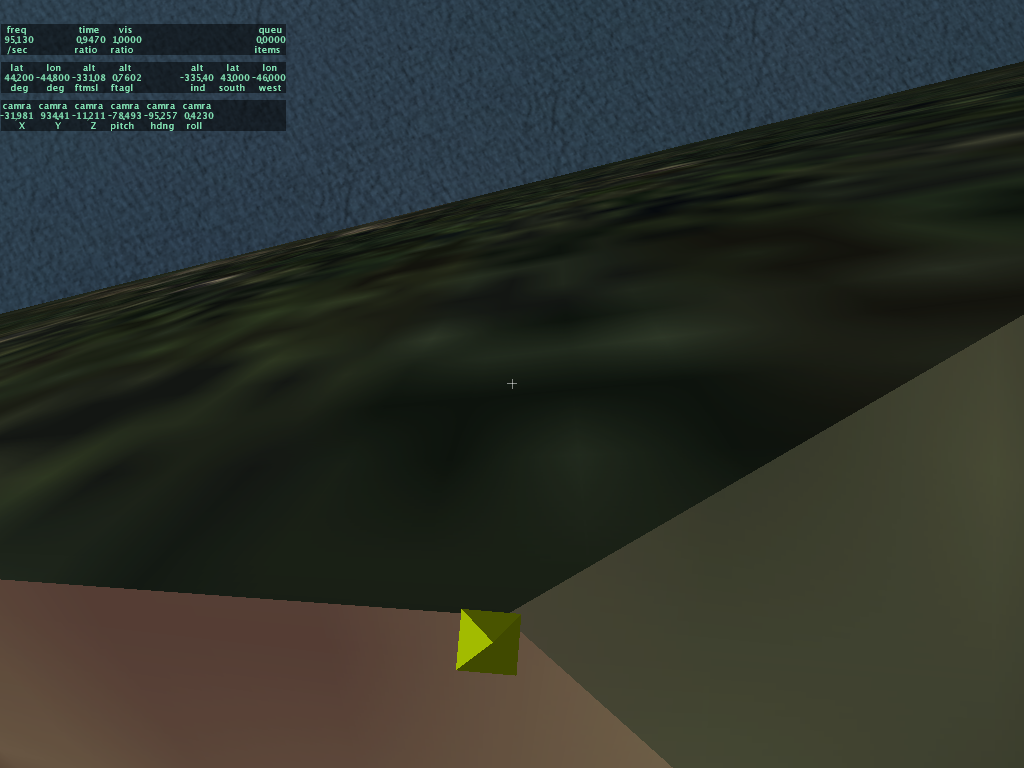
Jonathan Harris sent me a test package showing how that 850 betas misplace objects at high altitude. The pyramid is 1000 meters up, and the object should be right on top of it. (Mind you DSF has a little bit of rounding error; the amount depends on the smartness of the DSF writer. DSF2Text isn't that smart, so I can't promise it's better than half a meter anyway.)

The problem is that X-Plane figures out how high the ground is based on a cartesian coordinate system, not based on true round world math. This is not a problem as long as the ground and the point you are looking at the ground from are not that far apart vertically. (This is why this does not represent a physics bug; as the plane gets closer to the ground, the error in terrain height, which is also a function of slope and is thus probably zero on a good runway, gets smaller and smaller until we are dead-on at the instant the wheels touch down.)

The problem is that DSF objects do not have elevation specified in the DSF file; they are "dropped" onto the terrain. In order to drop them and know their elevation, we must have their location in cartesian coordinates, and that requires knowing their elevation. Doh! A paradox.

X-Plane 850 used to simply pick an elevation of 0 to start out the process. This leads to a lot of error at high elevation areas away from the center of mapped scenery. X-Plane 850RC4 "solves" this problem (temporarily until I can come up with something better) by dropping the object twice. The second drop is done using the height of the first drop to redo the conversion from lat-lon to cartesian coordinates. Since the first drop is only off by a little bit (a few meters usually) the error introduced in the second drop is very little.

Here's a comparison of placement in 850RC3 and RC4 (coming to a web page near you soon I hope). The object is 5 meters tall and 1 meter across. While RC4 is still not perfect, the error should be small enough that you won't have to hack your scenery package to get good object placement.

That was so fun - let's do it again!

One of the less fun aspects of X-Plane 8.50 was dealing with driver bugs. The basic problem is that PC hardware vendors have a relatively slow cycle for updating the software they bundle with their machines; while the companies that write drivers (ATI and nVidia) have a pretty high latency from when they first ship a card to when the driver support is to the level that X-Plane needs.

The clearest case of this I saw during 8.50 was in the case of PC users with "1.5"*-type ATI drivers. These drivers will cause the terrain textures to swim when hardware-accelerated runway lights are used. Upgrading to "2.0"-type ATI drivers fix the bug. A lot of users were just fine with the 1.5 drivers that came with their machines until X-Plane 8.50 came out, and have only now updated.

8.50 started using pixel shaders; hence the need for newer drivers with bug-free pixel-shader support. But in the future we're going to move from "DSP"-type shaders (that is, shaders written in a very low level language) to shaders writen in a GLSL, a high level abstract way to write shaders.

My fear is that this will induce a second round of "update your driver" for PC and Linux users. (Apple ships new drivers with system update, so users of the current Mac OS can usually just run the updater if it isn't set to update automatically.) But I think it's probably for the best that people use the latest drivers, as ATI and nVidia put software changes in the drivers that increase the throughput of the graphics card, through smarter use of the hardware.

The one group that is really stuck is Macintosh 10.3 users; Apple doesn't provide driver updates to older operating systems. So for example users with 10.3.9 and an ATI card with pixel shaders can't get hardware-accelerated texture lights without buying OS X 10.4. I would go as far as saying that in the future if you have a pixel-shader card it might be worth buying an OS upgrade to unlock the driver support needed to use these features.

Why move to GLSL (and require more driver updates)? In the long term it will provide superior framerate. The current shaders we have now are written in a very low level language, that roughly matches the technology of the first generation pixel-shader cards (Radeon 9700 and GeForce "FX" series). As cards gain new capabilities, Austin and I can't take advantage of the new capabilities using this old language.

GLSL however is a higher level language; when we write a shader in GLSL, the graphics driver translates our shader into code specific to the video card at hand when X-Plane starts. This means that if the video card has some new magic trick it can do, the driver can take advantage of that trick as it translates our shader, resulting in higher framerate. And everyone loves higher framerate. :-)

EDIT: who will be able to use GLSL? Basically any card that has hardware-based pixel shaders** from ATI or nVidia will support GLSL-based shaders if you have a modern enough driver. So if you are seeing hardware-accelerated runway lights in 850 then the GLSL changeover shouldn't cause any more fuss than a driver upgrade if you haven't done one rcently.

Also I should say that if I sound like I am dumping on ATI and nVidia for driver bugs, I shouldn't be; video cards are amazingly powerful, the drivers are very complex, and the technology jumps by huge amounts in a very short time period. I believe the level of driver bugginess we see is a function of fast technology rollout and not the competence of the driver teams, who I am sure are working as hard as they can.

So we, the developers who write programs that use these cards, and you, the users who enjoy these cards, have to ask whether we'd rather have faster framerate and more eye candy or less chaos from our drivers.

*ATI drivers are numbered by ATI to match ATI's internal versioning scheme. But X-Plane can't really see what the ATI driver version number is (e.g. the catalyst version number). So when I say 1.5 or 2.0 I am really talking about the OpenGL specification number that the driver implements. ATI implements newer specs in newer drivers, so we can tell that an ATI driver that supports the 2.0 spec is newer than an ATI driver that supports teh 1.5 spec.

So while I have no idea of either which versions of the ATI drivers had this bug or which version it was fixed in, but we can tell from an X-Plane Log.txt file whether the drivers are going to have this bug.

**Hardware-accelerated shaders? Well, previously I've described a graphics card as either having shaders or not, but this isn't totally accurate. Technically a shader can include a non-programmable shader. Furthermore the driver can present software emulation of a shader. For example, the Intel GMA950 has programmable pixel shaders in hardware. On a Mac the driver reports that it has vertex shaders, but the vertex shadings is actually done by the CPU. (This isn't unreasonable -- all vertex processing is done by the CPU on the GMA950.)

So really when we talk about "cards with shaders" we mean: any nVidia card with a number of 5000 or higher (plus some Quadros, sorry I don't know the numbres on those), and any ATI card with a number of 9500 or higher, and any ATI card with an "X" in it, e.g. X850. At this point we've had shaders in cards for 3 generations, so if you buy a new computer and it has an ATI or nVidia graphics card, it should have fully programmable hardware shaders.

Of course now not all shaders are equal; the newest cards have even more powerful shaders. But this isn't likely to matter a whole lot to X-Plane for a while. But generally I'd recommend buying the mid-range latest generation cards over high-end obsolete cards at this point.

Monday, October 09, 2006

GIF is Dead!

(This one's gonna be a little bit political I fear. More scenery-related stuff in a few days!)

The last software patent on GIF expired October 1st 2006. It's very rare that I agree with Richard Stallman on much, but I think he presents some strong arguments against software patents in this speech.

X-Plane never used GIF; we've used PNG as our main graphics format for a while now...here's a history of PNG's development, relating to the problem with GIF being patented.

A few comments of my own:
  • One problem with software patents is the "landmine" effect. There's no way to know as a programmer when we've violated a software patent. (Try searching the patent database for an hour or so and I think you will agree with me on this.)
  • The bar for non-obvious patents is completely miscalibrated. Software engineering is all about building black boxes out of past work and rearranging them to do new things. Allowing the arrangement of past technologies to be patentable is like allowing a mason to patent a particular stacking of bricks; to most masons it should be obvious how to stack bricks for a certain job, and any good programmer should know how to generalize past ideas to solve new problems. This isn't invention, it's implementation!
  • Patents aren't based on natural law and human rights, they're based on fostering creativity. To this end patents are the exact wrong solution for software, where having basic interoperable technologies be free and cheap is good for common infrastructure. Software patents are like someone being able to charge a toll for driving at exactly 55 miles an hour. We want everyone driving the same speed because it's good for the traffic system; similarly we want people to all use the same file formats because it makes all programs more useful.
There are two cases of software patents I can imagine: short-lived ideas that will be obsolete by the time the patent is ever defended; these patents at best serve to help one company beat another over the head with lawyers; I think this is comparable to a SLAPP lawsuit.

The other case is when the idea is truly useful for its entire lifetime (see GIF, which became the only way to put transparent graphics on the web for a while). In this case the result is a stifling of interoperability and innovation and the patent is to the detriment of the industry and all of its users.

To this end I see libpng as a perfect success: a well-designed file format that's free of patents implemented in an easy-to-use high performance library that's free (X11/MIT license). This encourages and makes it easy for everyone to use PNGs which makes all programs work better. Would we be better off if Austin and I had to invent a proprietary image format (with our own inferior compression) because the major formats were patented?

(Would it be feasable to license such a format? I don't think so - see Stallman's comments on the number of components in a software program vs the cost of licensing.)

Saturday, October 07, 2006

Stupid Laptop Tricks

First a disclaimer: DO NOT SHAKE YOUR LAPTOP!!! If you shake or thrash your laptop and kill yor hard drive, do not blame me. Laptops are delicate complex electronic devices and should not be jostled, beaten, dropped, abused, or tossed around.

Okay with that out of the way, a stupid plugin trick. This is only for Mac users with a MacBook, MacBook Pro, or possibly some of the newer G4 laptops (although I haven't tested on these).

First, download "SMSHack.xpl". Unzip it and drag the .xpl file into your plugins folder.

Start X-Plane. In an external view, rotate your laptop about 45 degrees to the left and right and 45 degrees up and back. this calibrates "SMSHack" to know the orientation of your computer. You must do this calibration every time you use SMSHack.

Then: fly using your laptop like a yoke. Roll your laptop to roll the plane, and pitch the laptop to climb and descend. Disable the plugin to get normal joystick control back.


How it works: I use a library called Unimotion. (Hrm..it's LGPL...well, source is here then.) Unimotion reads the SMS (sudden motion sensors) on modern Mac laptops. These are three accelerometers that the Macintosh can use to detect it has been dropped; the operating system will try to park the hard drive heads to prevent a disk failure on impact.

Because gravity is a constant acceleration on the laptop, the accelerometers can be used to detemrine the roll and pitch of the laptop. This plugin simply shovels the relative accelerations into the joystick deflections.

Friday, October 06, 2006

The X-Plane 850 Framerate Test

Now that I've covered how to use X-Plane with command-line options and how to write up performance bugs, we can discuss the framerate test, why it exists, who should use it, etc.

The X-Plane built-in framerate test serves three purposes:
  1. To let us compare our current performance to past performance easily (so we can detect code that hurts sim performance early in our development cycle). This also lets us rapidly determine whether bug reports of "my framerate sucks" are valid or not.
  2. To allow graphics-card driver writers to use X-Plane to benchmark and regress changes to their drivers.
  3. To give us an easy way to get "hard numbers" in-field - that is, when a user emails us with a tech support request saying "my sim is slow", the fps test allows us to determine whether the problem is based on configuration.
I've spent a lot of time in the X-Plane 850 release cycle looking at performance, both with the help of users (e.g. instructing users on how to look at their own machines) and my own. For all the complaining I've done I must say: THANK YOU to all of the users who have helped with performance analysis. These users put in a lot of hours doing mundane test after test and they did a great job of emailing me back information, fps reports, screenshots, and even a Shark profile or two! Even when the result is "hrm - everything is normal", this kind of information is valuable in helping us prove that our release is solid. (And all of the indications I've found indicate that 850 is solid.)

But the process was very time consuming and error-prone. The frame-rate test simplifies things for everyone; the test is standardized and requires no user intervention; it runs the exact same settings every time and is not subject to software configuration issues. The reports are automatically printed out and require no observation.

We are adding the test into 850 so that in the next release we can compare to 850 and be sure we're on track. I only wish we'd have the test in 840!

Should I Be Using the Framerate Test?

If you are not a developer/programmer and you are not asked to use the framerate test by a programmer (for example, in response to a bug report or after emailing tech support) there is no need for you to run the framerate test. You can run the test and email your friends (especially if you have higher framerate than they do) but if you have problems with the framerate test and you are using it "recreationally" please do not file a buf report or query tech support for help. The framerate test is an internal development tool; X-Plane is meant to be used to fly!

What the Test Does:

The framerate test runs X-Plane with preference reading/writing disabled, and it changes the 'default' configuration (e.g. X-Plane's configuration without preferences) based on command-line input. This gives us a specific setup of the sim regardless of how the sim was last used. The preferences are not saved to disk when the test is done, so there is no need for a user to delete preferences to get solid test numbers. User alerts are not shown (just logged) so that the test can be run from a shell script automatically. The sim logs info and quits when it finishes.

The performance test can run in two modes: analysis mode and pass-fail mode. In analysis mode, the sim is run in three 30-second tests: panel view, forward view, and forward-view paused. These three numbers help us tell the relative framerate loss due to the panel and the flight model. The fps-test is primarily aimed at the 3-d rendering engine, but on a CPU-limited machine the flight model can have a huge impact, and on a PCI/AGP bandwidth limited or VRAM-limited machine the panel can cause a noticable slowdown. (The panel also hurts if a machine is extremely blend/fill-rate limited, like a Rage 128, but you shouldn't be using X-Plane 8 on a Rage 128!)

The pass-fail test runs a single test, paused with the panel to gauge pure framerate, and returns 0 or 1 (as a command-line shell app) to the calling script based on whether the sim passes a minimum framerate. The pass-fail test is designed for automated testing; you can put X-plane into a series of standardized tests and automatically send an email if the sim's performance falls below a certain minimum.

How to Use the Framerate Test:

First, see my instructions on how to use X-Plane with a command-line option. In these examples I will simplify the X-Plane executable name; refer to the instructions for your specific operating system.

To run the frame-rate test, use this:
X-Plane --fps_test=2
Where the number is a fps-test "test number". (I will explain the numbers in detail below.) This will run the 3-part analysis test and quit. You can add other command-line options as well; for example, to compare performance with and without VBOs you can do this:
X-Plane --fps_test=2 --no_vbos
(Side note: on fps-test 1 pass-fail I see 71 fps on my MacBook Pro with VBOs and 59 without. Turning off VBOs definitely hurts performance, so only users with serious driver bugs should be using the --no_vbos option.)

To run the pass-fail test, you add a second command-line option:
X-Plane --fps_test=3 --require_fps=20
This will run the pass-fail test and return a positive result if the frame-rate is at or above 20 fps. For example, you could write a test like this:
X-Plane --fps_test=2 --require_fps=20 || echo We were below 20 fps!
Test Numbers:

The framerate test number is up to 3 digits controlling various aspects of the sim:
  • The ones digit can be 1-3 and selects the rendering settings; 1 = very low and 3 = very high. You can view the rendering settings while the fps test its running (it will ruin your test results of course to put up dialog boxes).
  • The tens digit can be 0-6 and programs in a variety of weather and visibility conditions.
  • The hundreds digit can access a few special features: 100-series tests use a far view angle and 200-series tests run at night.
We may invent more tests later on but this initial set lets us run the sim in a wide enough envelope to gather the data we need.

Thursday, October 05, 2006

A Tale of Three Operating Systems

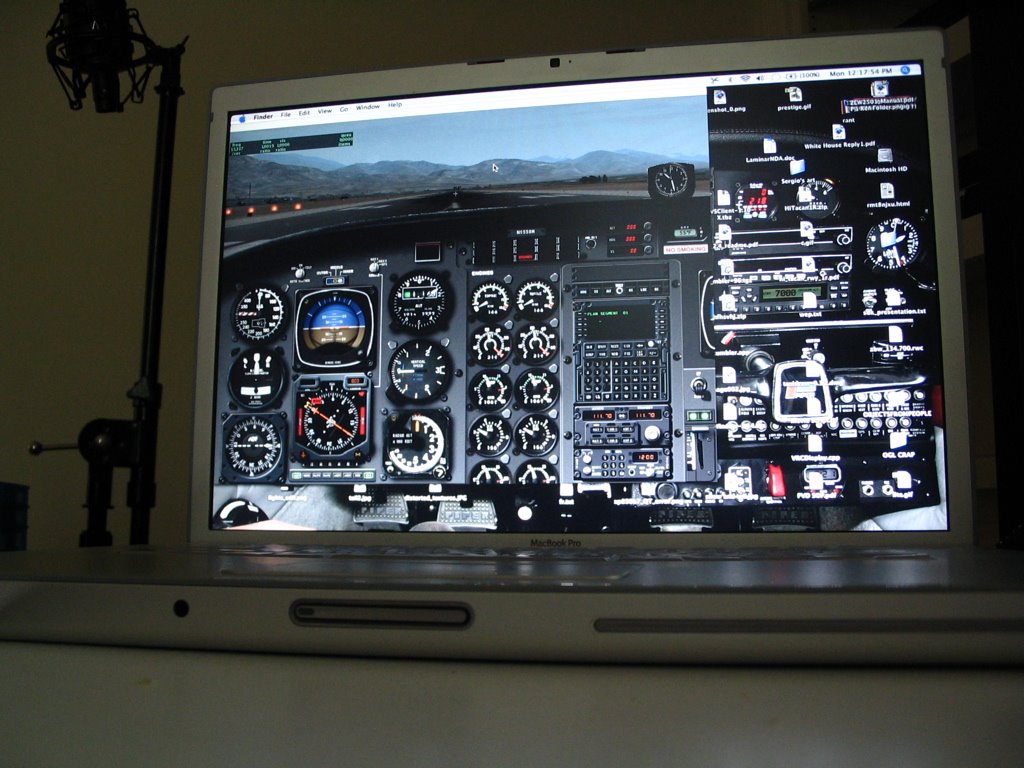
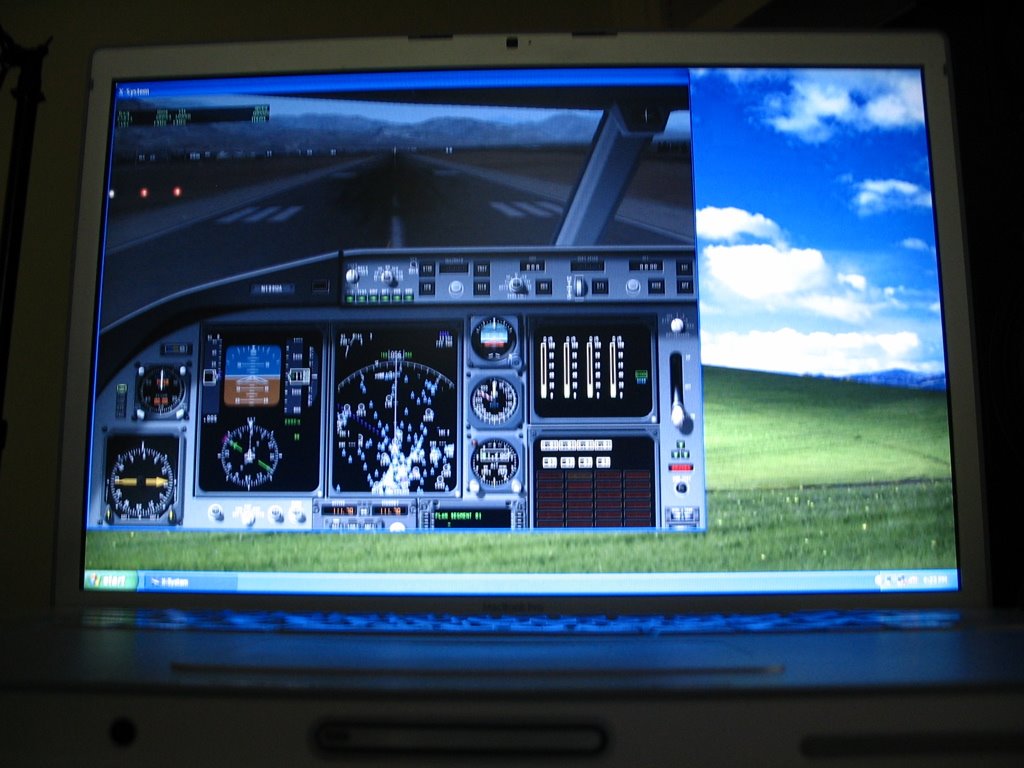
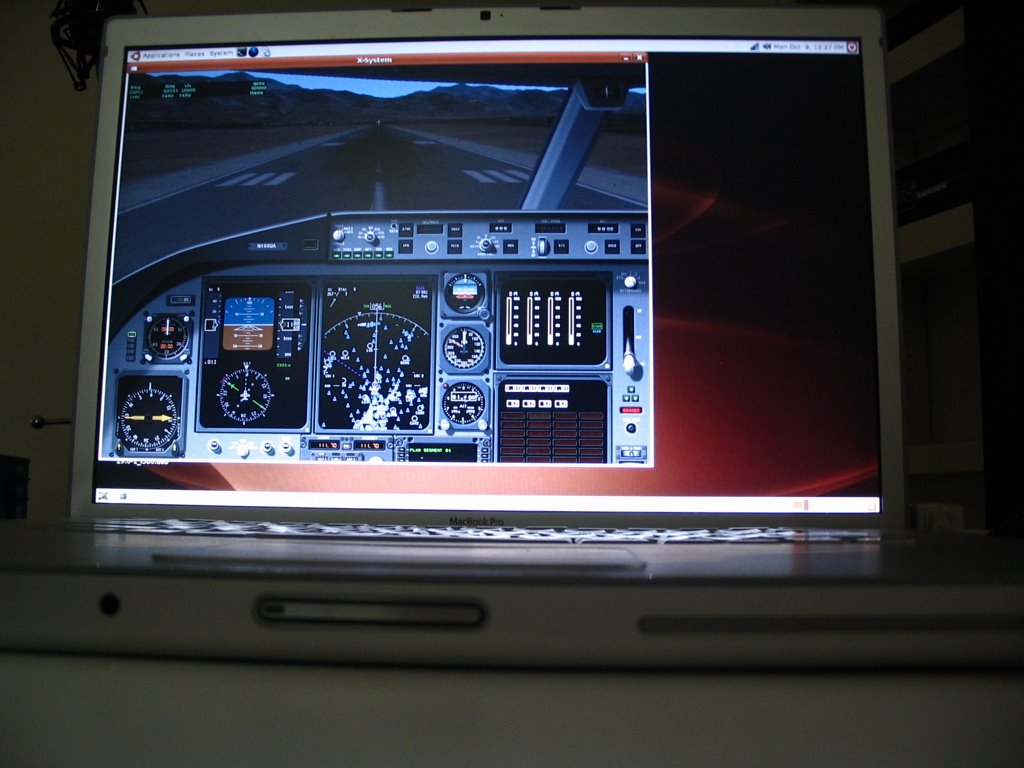
In a vain and foolish attempt to prove that I am the uber-nerd, I have configured my MacBook Pro to boot Mac OS X 10.4, Windows XP Home SP2, and Ubuntu Linux 6.06. It took a while to get everything set up, but all three now run X-Plane with hardware acceleration.

This provides a unique chance to compare the performance of the sim varying old operating-system factors (the OS, the drivers, and the compiler). The machine is a 2.16 ghz DuCore MacBook Pro with 2 GB of RAM and a 256 MB ATI X1600 card.

So without further delay, here are the numbers. Speed is in fps for frame-rate tests 1-3 (1 is lowest settings, 3 is very very aggressive). Each set of fps is for panel view, forward-no-HUD view, and the same view paused. Load times are in seconds for the KSBD demo DSF. The second load time is to reload the same scenery - the times are much faster on all 3 OSes because of the disk cache.

Drivers are not tweaked; this is simply the ATI binary drivers for Linux, whatever Apple ships in BootCamp (some 2.0 series ATI drivers) for Windows, and the 10.4.8 drivers for Mac, none tweaked in any way at the OS/control panel level. For Linux I disabled VBOs because they cause graphic corruption in some cases and slow frame-rate. This is probably a Linux/ATI driver bug.
PLATFORM      Mac         WIN        LINUX
Load/Reload 2.77/1.31 5.02/1.33 3.05/1.04
FPS Test 1 65/71/80 64/69/88 56/62/62
FPS Test 2 49/55/54 50/56/56 34/37/37
FPS Test 3 15/15/15 16/16/16 4/4/4
Analysis:
  • The Mac has the fastest disk performance; both Mac and Linux are significantly faster than Windows in raw loading. For reloading a file all operating systems are about the same, but it's the load-without-cache case that counts.
  • Windows has the highest frame-rates; slightly faster than Mac but quite a bit more than Linux. The lack of safe VBOs on Linux could account for this.
  • In the case where the fps didn't rise when the sim was paused, the limitation is with the video card - not surprising for tests 2 and 3 where there's a lot of antialiasing, anisotropic filtering, and objects.
Tomorrow I'll blog about how the fps test itself can be used.

HOWTO: Use Command-Line Options in X-Plane

Normally you just double-click X-Plane to launch the sim. But X-Plane 850 has some hidden command-line options. We provide these for in-field debugging; if you hit a problem such as a bad video driver you can trigger special options within the sim that aren't exposed in the settings dialog boxes.

Macintosh Users:

To run X-Plane using command-line arguments, you must launch X-Plane using terminal.
  1. Open the utility "Terminal"; it can be found in the Utilities folder (within the Applications folder). Terminal gives you a command-prompt.
  2. Drag your X-Plane application into the terminal window. The command line will list the names of all of the folders leading to your copy of X-Plane using / for directories. All spaces will be preceded by \ characters.
  3. Delete the extra space at the end and add the following to the command-line:
    Contents/MacOS/X-Plane
  4. After the word X-Plane you can include command-line options.
Here is an example from my Mac:
/Volumes/GIS/X-Plane\ 8.50\ RC-3/X-Plane\ 850\ RC-3.app/Contents/MacOS/X-Plane --no_sprites
This would launch X-Plane 850 RC-3 (in the X-Plane 850 folder of my hard drive "GIS") using the --no_sprites option.

Windows Users:

To Lauch X-Plane from a DOS prompt you will have to...
  1. Pick "Run..." from the Start menu. Type cmd (3 letters) for the name of the program and press return. This will open up a DOS prompt.
  2. Type cd and a space and then drag your X-Plane folder into the DOS prompt window (the full path of the file will be typed). Press return. This will move your command prompt to the X-Plane directory.
  3. Drag the X-Plane application into the DOS prompt window. You will see its full name in quotes including the hard disk and directories separated by back-slashes.
  4. You can then add any additional command-line options.
An example from Windows:
"X-Plane 850 RC-3.exe" --fps_test=1
(It is necessary to change directories on Windows to make sure that Log.txt and other files are put in the right place. On Mac these files always end up in the X-System directory.)

Linux Users:

X-Plane can be launched like any other command-line tool; you may need to prefix it with ./ if you don't have the current working directory in your search paths. For example:
cd /home/bsupnik/X-Plane\ 8.50\ RC-3/
LD_PRELOAD=/usr/lib/libalut.so ./X-Plane-i586 --fps_test=1 --require_fps=20
On my distribution (Ubuntu with GNOME, stop your snickering!) it is not possible to simply drag the application into a terminal because the spaces in the file paths will not be properly escaped.

Command Line Options

Generally X-Plane command line options have full names and two dashes. Some require parameters, as in =1. Order does not matter and you can use as many options as you want. Some examples (simplifying the application name, which varies by version and OS):
X-Plane --no_sprites
X-Plane --fps_test=2 --no_pixel_counters
Rather than document the options here, use the --help option to list all command-line options in the current version of X-Plane.

Some Typical Examples

A number of drivers crash when X-Plane uses VBOs, particularly on Linux. If you can run every application except X-Plane itself, you may want to try:
X-Plane --no_vbos
Some drivers cause texture corruption when hardware-accelerated runway lights are used; you can work around this with:
X-Plane --no_sprites
EDIT: the Windows version won't show the --help string in the DOS window by default, but StormRunner pointed out to me that you can do this:
"X-Plane.exe" --help | more
which routes the output to the DOS window.

Friday, September 29, 2006

Anisotropic Filtering

I'll hold off most of my comments until RC2 comes out; we thought it would be out a while ago but Austin had to go on a business trip. (So really this is RC3, because we've put more bug fixes in since RC2 almost came out but didn't. Heck I have no idea what number Austin will give this build!) Anyway, new build should be out soon and then I'll discuss some of the new features.

One thing I've looked at a lot over the last few days is anisotropic filtering. Basically anisotropic filtering is when the graphics card looks at more of a texture to make it look better when it is sloping away from the viewer.

X-Plane provides the graphics card with several versions of each texture in different sizes; depending on how far away the polygon is, the graphics card picks the right size for the best look. This is called mipmapping. It allows the graphics card to draw a very small version of a texture without having to do the work of scaling it down. Essentially the textures are pre-scaled to every possible size we could need. (But never bigger than the original size, modified by your texture resolution settings.)

The problem comes when a texture is sloping away from us. Consider when we are sitting on the runway at KSBD. The close part of the runway is just huge and requires the biggest version of the texture we have. The far end requires the smallest version. Anisotropic filtering allows the graphics card to look at extra data to preserve the details as the size it needs gets smaller. (I realize that that is probably the worst explanation of anisotropic filtering ever written, but I don't want to get into the math...Google or Wikipedia to the rescue.)

Basically there are three things a user must know about anisotropic filtering:
  • Anisotropic filtering makes a texture that is sloping away from us less blurry.
  • The graphics card uses more texels (pixels from a texture) to render when it is on - 8x anisotropic filtering means the card can use 8x as many texels. That can really hurt framerate.
  • What the card actually does is up to the hardware maker and driver writers. X-Plane just says "give me 4x" and hopes for the best.
Before X-Plane 850RC2 X-Plane only had a check-box...on or off. If anisotropic filtering was on, it was on maximum, which is an outrageous 16x for some cards! This gave you two options: a blurry world or a huge frame-rate hit.

Austin is working on complete anisotropic filtering control - that is, you can select the level of filtering from 1x to 16x, but with all the intermediate levels. The sim will default to 4x, which I've found is a good compromise of speed and image quality. So hopefully this will allow some users who had to leave anisotropic filtering off to get a little bit of filtering without a big frame-rate hit. I suggest you try changing the level on your computer and see what looks good and what is fast.

One thing I must admit: we've always had anisotropic filtering on the runways, and we will continue to always leave this on. It simply makes a huge visual difference in this one situation where we know that you will see our textures at a horrible viewing angle. X-Plane 850 RC2 is a little bit more polite than RC1 was; whereas RC1 and all previous versions maxed out anisotropic filtering on runways, RC2 will not increase it beyond 4x unless you set the rendering settings to do so.

One last mostly unrelated note: the high resolution earth orbit textures make the sim look nicer but hurt framerate. But they hurt framerate more if anisotropic filtering is higher. So this is a reason to carefully pick the amount of anisotropic filtering you want.

Thursday, September 28, 2006

More Lost Fps Found...

Previously I blogged that birds, planets cars and reflections all are new to 850 and eat fps. Here are some more ways we can lose framerate:
  • If you compare your upgraded-to-850 full install against a quick download of the 840 demo, the comparison isn't fair; it turns out that having full scenery installed is slower than having just one tile.
  • The very nice demo KSBD layout Austin G. made us hits frame-rate a bit, with all of the lights, painted lines, and curved pavement.
What's strange is the amount that these things affect the sim. One user reported a 30% loss to extra scenery and 50% loss to the KSBD layout. By comparison Austin's layout is virtually "free" on my G5.

I am investigating ways to simplify complex airport layouts when settings are low. Regarding the fps loss when more scenery is installed, it turns out KSBD is relatively close to the edge of the DSF. So even though you can't see water in the next tile (when you have the demo) it turns out a little bit is being drawn; X-Plane doesn't know that the mountains hide this.

If you try this test while looking to the left (north into the center of the DSF) there is almost no difference between demo and full scenery.

Mmmm....Marketing

I've always thought we should come up with cool marketing names for new code in the sim. Look at ATI and nVidia. When they reduce the amount of VRAM on their cards and steal your system memory, they don't call it "hey, we're cheap bastards so we left off some chips and hijacked yours instead". Instead they call it "TurboCache™" (nVidia) or "HyperMemory™" (ATI). Don't those sound much better?

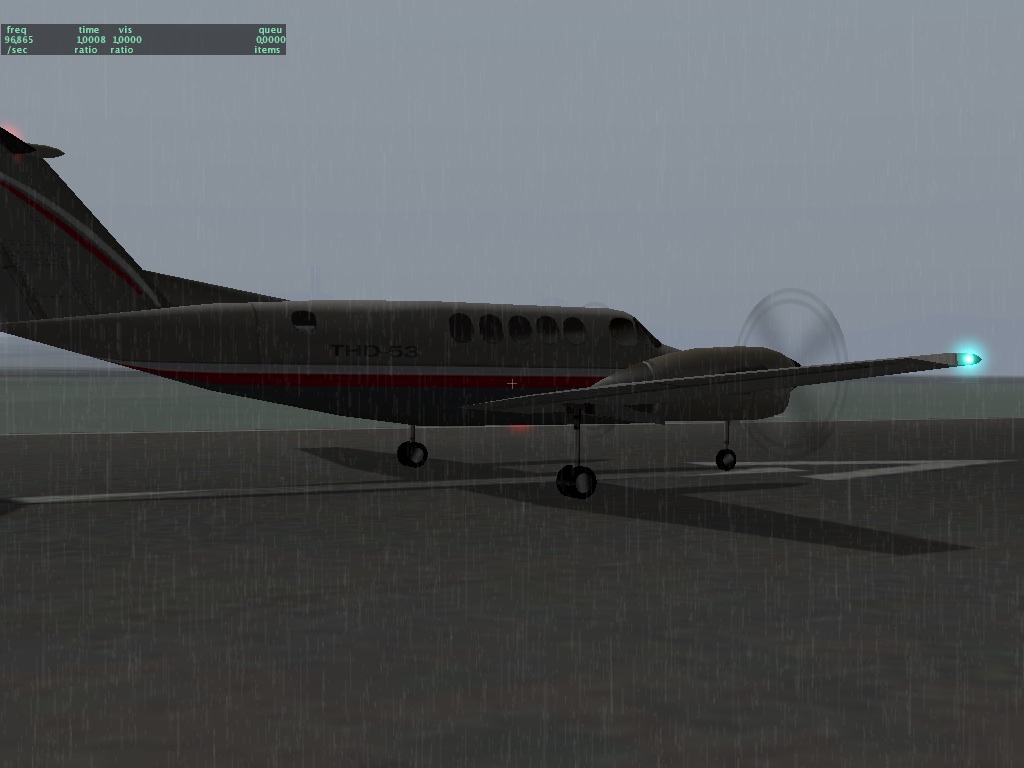
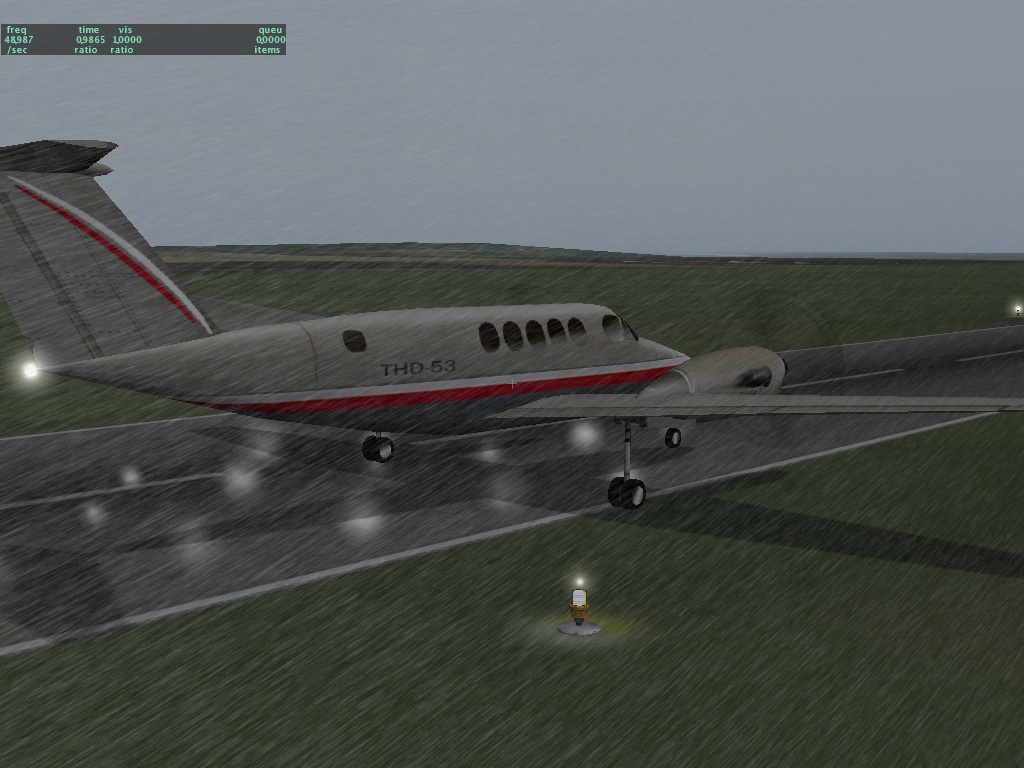
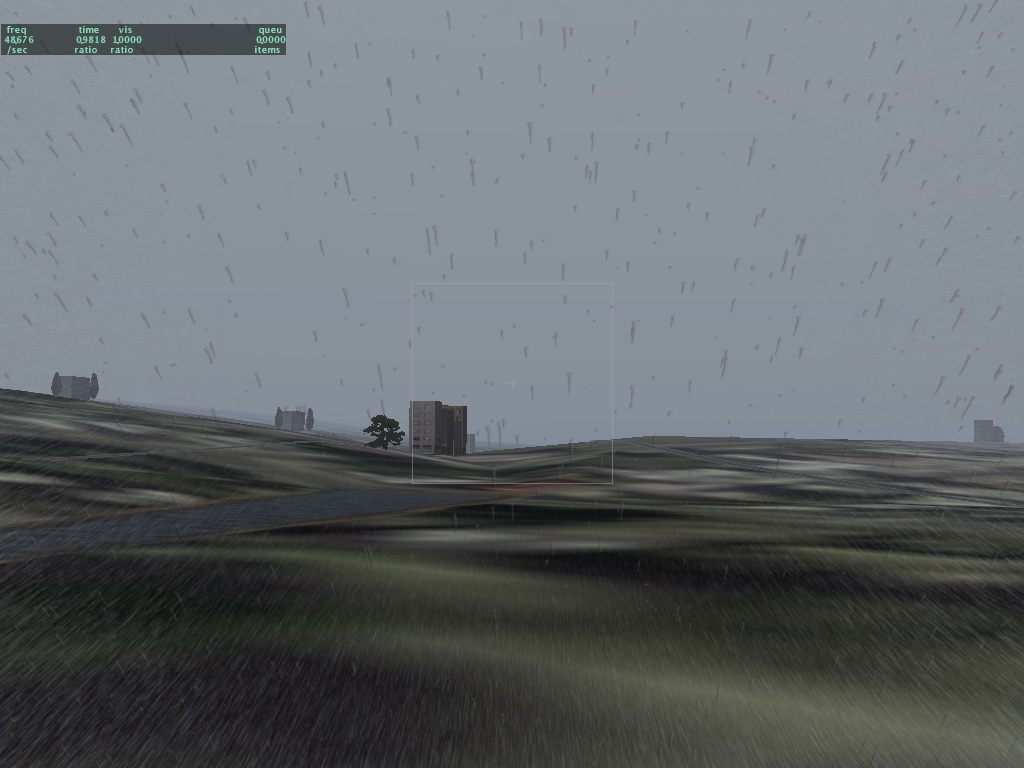
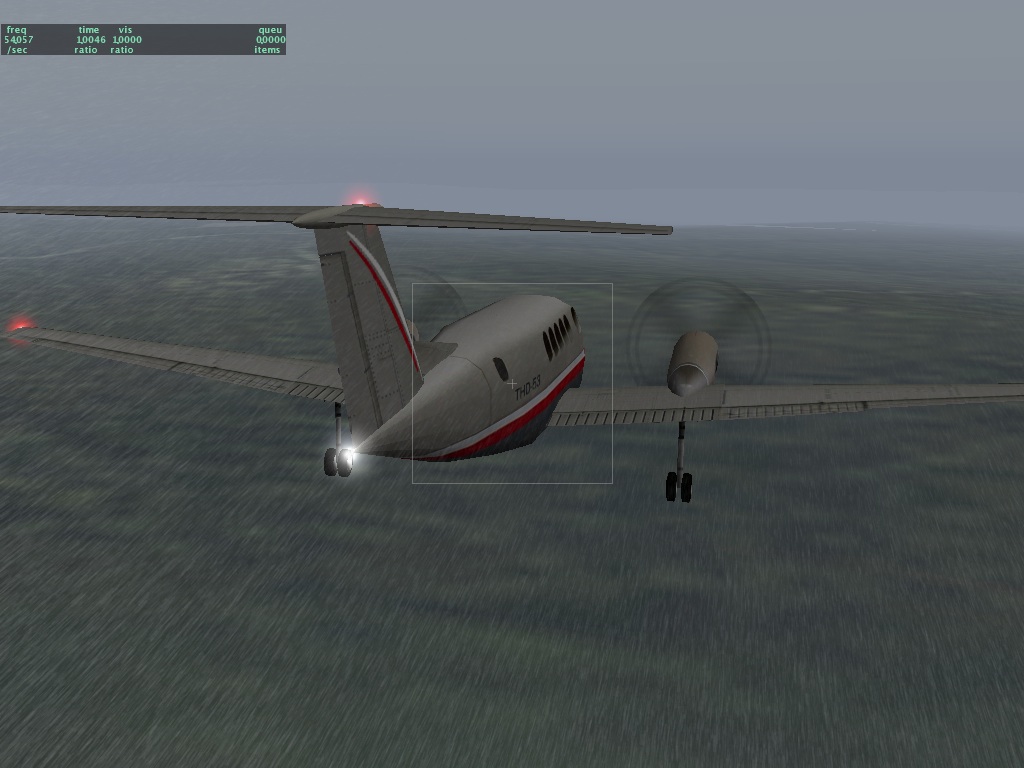
Perhaps we can call the new rain effect (due out in the next RC) "MegaRain XT" or, um, "HyperSpash GT" or "Virtual Droplet Technology (VDT)"? I don't think I'm cut out for a career in product marketing. Anyway, here are a few screenshots:


There will probably still be some camera angles where the rain looks weird; it's a compromise between image fidelity and framerate.

Apropos of nothing: Ami sent me this flash video. I must warn you...Chris described it as "the corniest flash I've ever seen"....and in the world of flash that truly says a lot. Think of it as the blue pill for your, um...bits. Anyone wanna make a flash video showing the virtues of MegaMoister 2.0? ;-)

(I promise the next blog entry will contain more information and less attitude!)

Wednesday, September 27, 2006

HOWTO: File a Performance Bug

This blog entry describes how to file a performance bug for X-Plane. You don't have to participate in X-Plane betas, so if this procedure seems scary or too complex, I suggest simply waiting for the final sim release. But if you want to help, this procedure explains how to do it. It is not enough to just tell us "the framerate is bad now" - we will just ask for the information that this post explains how to provide.

First, to file a performance bug, you will need two clean copies of X-Plane: the current beta and the previous final release. Use the web-based installers to install clean copies of both of them. (Hint: you can download the current final release, then copy the folder and run the beta installer on the copy to save download time.) We always need a relative comparison of framerate between two versions to isolate how efficient the sim is from how fast your hardware is. If the sim is slow on your computer and has always been that way, that's not really a problem with the sim. But if the sim used to be blazingly fast and now it is not, we can fix that.

In order to get a clean test we need to control every aspect of the simulator. Fortunately these clean installs have default preferences. But you will need to go through and make sure you have:
  • The same weather settings!
  • The same rendering settings. Make sure new features are off, e.g. if you are comparing 840 and 850, disable birds in 850.
  • The same aircraft.
  • The same number of AI aircraft.
  • The same location.
  • The camera facing in the exact same position and direction!
  • The same view mode (e.g. forward, forward with panel, etc.).
For your framerate test you will basically run the sim in a fixed configuration and take some screenshots.

It is very important that the camera angle be fixed. Use the "takeoff" menu item to place the plane on a runway. Do not taxi the plane into position; even the slightest change in the positioning of the camera can have a large impact on framerate, so if there can be human error in moving the camera, then the comparison is not valid. By pre-placing the plane you can get the same camera angle every time.

Some important notes on screenshots:
  • Control-period will take a screenshot in any screen, so you can take a screenshot of your weather settings, not just the sim screen. Always use control-period, not the built-in OS screenshot mechanism.
  • Please send us the original PNG files in a big zip file; please do not crop, editor or compress them!
  • Please do not run the sim at larger than 1024x1024 as the screenshots will be clipped.
For both 850 and 840 we will need three screenshots (so for each performance report we will need six screenshots):
  1. A screenshot of the sim running. Use the data outputs screen to view frame rate, plane latitude, longitude and altitude, and camera location on-screen, so that these are captured in the screenshot.
  2. A screenshot of your rendering settings.
  3. A screenshot of your weather settings.
These last two allow us to exactly copy what you have configured. Please do not use "real weather" when you do these tests.

For each performance report, please send us the six screenshots, the log.txt after quitting both versions of the sim (so two log.txt files) and please tell us in the email the framerates of each sim both when paused and unpaused. (Take the screenshot when unpaused.) So there will be four fps numbers to report for every given test.

Note that these clean installs will not have any third party add-ons; if your performance problem is only visible with a third party add-on, please:
  • First do the performance test without them and file that pair of datapoints.
  • Then install the add-on on both and make as few configuration changes as possible and then file that data too.
So for a third party bug there might be eight fps to report - all combinations of: old and new, paused and unpaused, clean and with the add-on.

You Can't Have a Full Bottle of Wine and a Drunken Wife

I just finished answering a user's questions about whether to upgrade from a Pentium D to a Core 2 Duo and now I am back looking at a framerate problem on a 1.4 ghz G4 with a Radeon 9200.

Let's just consider that for a second!

One set of X-Plane users has the latest generation hardware and expects X-Plane to look as good as it can. Getting 270 fps on this hardware (yes, we have seen fps this high with the default settings) is not useful - these users want more graphics on their big machines. If we don't give them this, X-Plane is not a competitive product.

Another set of users still has previous generation hardware. If I may single out a particular group - Mac users with the G4 processor - that previous generation wasn't ever very impressive even when it was new. Basically Apple was stuck because the G5 was the best chip they had but couldn't be built with low enough power to put in the places they wanted to put it. Apple also wasn't putting terribly nice graphics cards in their machines at the time. (This was fixed when they stuck a 9700 mobility in the PowerBook.) So we have a whole group of PowerBook and Mac Mini users suffering from low framerate on older machines that were never that good as flight sim machines to begin with. (And G4 users I do understand your pain - until about a month ago my laptop was an 800 mhz G4 with a GeForce 4 MX.)

It is in this context that I say: if your framerate is low, be sure to turn the new stuff off! I did some extensive benchmarking of X-Plane 850 vs 840 and can tell you four things that very much affect framerate:
  • Cars on the roads! Cars really kill framerate. 840 has no cars, so it wasn't doing any of that work. Turn them off!
  • Birds! 840 had no birds, and they represent more drawing. Birds really divide machines into the haves and have-not's...big machines don't even notice the cost, but if you are having framerate issues, turn them off.
  • Textured lights with 3-d frames. This is one of the bigger hits. I will comment on this more below, but if you're fighting for framerate, turn this off.
  • Water reflections and shadows. This isn't the perfect setting, because it requires turning off cloud shadows as well as water reflections, so try it last; water reflections are actually not that expensive but you may get a few fps back.
In my benchmarking my dual 1.8 ghz G5 with Radeon 9600 XT (this machine is significantlty slower than a new DuoCore MacBook Pro by the way, so this machine represents a lower performance point than ANY new hardware that anyone should buy for X-Plane) I found that with these 4 settings off (and the equivalent textured lights and water reflections off in 840) X-Plane 8.50 was consistently faster than 8.40. Turning on water reflections and textured lights (but not the 3-d cars and birds) makes 8.50 slower than 8.40 but only slightly.

A final note on textured lights with 3-d frames: there are two catagories of graphics cards:
  • Graphics cards with pixel shaders. On these cards, if you turn off 3-d textured lights, we will still draw them with textures, because the card handles it, so you're not losing any framerate for the nicer looking lights.
  • Graphics cards without pixel shaders. On these cards, textured lights are done with the CPU, just like in 840. They're slow, so they are turned off.
My point is this: the checkbox gives you the best look when on, and the best look while prioritizing for speed when off. So if your framerate is low, turn off the 3-d textured lights; we will give you any quality that we can give you for free and nothing more.

In summary: you can't have a full bottle of wine and a drunken wife. If you want the new eye candy that was not present in the previous version of the sim (3-d birds, 3-d cars, water reflections and 3-d lights) you will have to pay for them with fps. We can give you the choice of fps or more eye candy, but not both.

A final thought: is it possible that 850 has a performance bug? Maybe! I am analyzing this now. I will post detailed instructions in my next blog entry on how to report these things. Filing a bug saying "the framerate sucks" doesn't provide useful information; posting to a forum saying "the framerate sucks" doesn't provide useful information either. But there are some tests you can do that will provide us with the info we need. Our biggest limitation is: we don't have one of each kind of graphics card. So the 850 beta testers who have gotten us detailed performance numbers have been very helpful!

Sunday, September 24, 2006

Is X-Plane on Crack?

I just fixed a bug in the mesh crack-patching code. This is a tricky subject, so here's some information before you file bugs:

Two separate scenery tiles (whether DSF or ENV) may not line up perfectly when placed edge-to-edge. The most common reason is because their elevation data can come from different data sources, but in a few cases files from the same render can have alignment problems.

(In the case of the global scenery, if we have special circumstances like water or airports that must be flat and the features span a tile boundary, the flattening may not work the same way in both tiles. The scenery is also rendered on blocks on different computers, and the blocks may not tile perfectly.)

Whether the error is due to a bug or just two scenery packs together, the sim tries to do its best to fix any gaps in the terrain mesh. (The sim does not try to fix different textures that touch; this is beyond the sim's capabilities of analysis.) X-Plane will take whichever file is loaded most recently and try to realign its edges to match the old edge. When this works right, you can't see a seam. More importantly, if an airport spans that border, you can drive over the border (on a runway) without the plane hitting a bump.

I just fixed a bug in the crack-patching code where it would sometimes incorrectly fix a patch. So if you see a 'crack' in the terrain (basically you would see the sky color showing between terrain triangles as a sliver of light blue or grey) please report it as a bug, but be sure to include the following information:
  • Please include a log.txt file so we can see what you have installed. Be sure to quit x-plane before emailing the log.txt file.
  • Please include a screenshot of the crack. Turn on the framerate, plane lat/lon and camera position datarefs.
  • Please set your sim resolution to 1024x1024 or smaller and send the original PNGs. Please do not crop, process, or compress them. Please do not send JPEGs.
  • Please tell us the nearest ICAO airport so that we can easily go to this location.
As always our bug reporter can be found on a link from http://www.x-plane.com/contact.html.

Some crack bugs may be due to a scenery defect (to be addressed the next time we make new scenery), some may be due to sim bugs, and some may be due to the combination of two scenery packages next to each other.

Thursday, September 21, 2006

Another Planet Framerate Improvement

I just realized that the planet-wide rendering was running at 65 fps on my G5 with clear skies but less than 20 fps with a single cirrus layer! Ooops! With X-Plane 850 we use the same OpenGL code to draw terrain whether it's close-up (DSF) or far away (the planet render). This seemed like a good idea because it helped the two mesh. Well, it turns out cloud shadows are way too slow when applied over a huge area.

So...I simply killed them. This will be in the next beta. If you look hard you'll be able to see a slight color change (well, worse than before) where the cloud shadows disappear at the DSF->planet transtion, but the fps are worth it. The G5 went from less than 20 fps looking at the planet to 65 fps, and the MacBook Pro went from 36 fps to 100 fps.

This was never an issue in 840, where the planet had the simplest OpenGL code you can imagine and looked like, well, just compare the planet in 840 vs 850!

Anyway, this explains why I thought I'd fixed the planet code and users cried bloody murder: my standard framerate test has no weather, because that's Austin's code. (Hence I shut it off to check the performance of only my code.) But sure enough it was the weather that affected the "cost" of the planet render.

There is a moral here for programmers: always test performance under real-world conditions! Often a system can have interdependencies that don't appear in "lab" conditions. (Another example: you can't test the speed of airpor build-up without scenery because one of the slowest parts is "draping" the airports over the scenery. When there is no scenery the ocean terrain triangles are very large and so the draping happens much faster than it can with real ground.)

The road to hell is paved with ATTR_poly_os

I'm note sure I can even explain this...basically "polygon offset" is both the darkest voodoo in OpenGL and NOX for OpenGL programmers...usually it helps you win but sometimes it causes you to go down in flames.

The basic idea of polygon offset is this: normally you see the closer of two objects 'on top of' the farther one. This idea is so obvious to us humans who live in a 3-d world that it's almost hard to explain. Imagine I am a painter. If I draw two mountains, the one I draw second will always appear "on top of" the one I draw first in my painting...thus I must draw the far mountains first and the close mountains second to get a realistic landscape.

OpenGL provides "Z buffering"...basically this lets you draw the mountains in any order and the graphics hardware takes to not draw the pieces of the far mountain that need to appear under the near mountain in order to make the 3-d image look realistic.

So where does polygon offset come in? Well, the problem is that if two pixels we're drawing are very very close to each other in distance from the viewer, OpenGL's ability to decide which one goes on top falls apart. It turns out there are limitations to the math OpenGL can use. In particular, if I have an object with two triangles that are exactly on top of each other...OpenGL will randomly show some pixels from one and some from the other! Yuck! This is called Z-thrash.

This is where we bring in polygon offset. Polygon offset is a trick where you tell OpenGL to handicap the competition between two triangles. You say "listen, I know that the grass and the runway are probably about equal distances from the viewer...but handicap the math by adding 2 to the runway in all cases". What happens? The runway always wins! In other words, polygon offset is a cheat that helps assure that given two pieces of scenery on top of each other, the 'right' one always appears on top.

For more discussion on polygon offset, check out this article from the scenery web site.

Whew. Well that was fun...we use polygon offset on runways (to make sure they never thrash with the ground textures) and it just works great. But when it comes to roadways, things really go to hell.

Polygon offset has two strange quirks that make it tricky to work with:

1. If you cheat and use polygon offset to help a bit of scenery 'win' the distance competition, there is a risk that the cheat could push it through other parts of the scenery. (This mainly happens if you use too much polygon offset.) For example, if we used too much polygon offset on the runways, they would start to appear 'on top of' the airplane! It turns out there are two ways to manage this...we can tell OpenGL to "cheat once and forget about it" or "cheat every time you use this triangle". Both ways have their own problems.

2. The amount that OpenGL cheats and adds some to the calculation about "who is closest" depends on the angle from the viewer to the triangle in question! Take a second to consider that...if you look straight at the runway from the top, OpenGL is only adding 1 or 2 to the calculation - but if you then sit on the runway looking down it, perhaps it's adding 10 or 11! I can't hope to explain this aspect of polygon offset without going into the mathematics of 3-d frustum projections, but I will say this: this property is both necessary (if it didn't work like this, most times polygon offset wouldn't provide a decisive winner between two triangles) and a pain in the ass, because it means that relatively large offsets can be used at certain view angles.

(In fact whenever you move the camera and see one piece of scenery "eat" another, then go away, this is what you're seeing - we've used too much polygon offset and at a steep view angle the amount added to the math is too huge.)

Now I think we know enough to understand how X-Plane's roads became the road to hell.

Generally speaking, any time you put something directly on top of the terrain mesh, you need polygon offset to assure you see it and not the terrain under it. This is true for beaches, runways, and of course roads. (Authors making airports out of OBJs know that their tarmac objects need ATTR_poly_os too!!) So I think we can at least see that we need polygon offset for roads on the ground.

Now consider bridges. They are up above the ground, so technically they don't need polygon offset. But if a bridge segment starts on the ground and climbs up, it will be eaten by the ground. So I decided to polygon offset bridges too, and that was okay.

Then came cars. The problem is: do cars have to be polygon offset? Well, it turns out we lose either way. Recall that there are two ways to handle the 'cheat':

- If we only offset bridges once then they appear above terrain, but one bridge may incorrectly appear above another, because the cheat is not permanent.
- IF we offset bridges "permanently" then they will appear above the cars on top of them.

Okay so let's offset the cars too! It turns out that that doesn't work. Recall that the amount of offset is a function of the view angle of the triangle. Well, 99% of the time roads are horizontal, as is the terrain. So offsetting is okay - everyone gets about the same cheat.

But a car is made up of triangles going in all different directions...the result is that if you offset a car, then the roof offsets more than the doors! This just looks terrible. And even worse, the headlights, for technical reasons, always offset the minimal amount. (Geeks: they are billboards - they are quads that always look straight at you, so they always have zero view angle!) Bottom line is: you can't cheat the cars effectively onto the roads. Up through beta 11 you have seen this awful result..the cars look like they are inside the bridges.

Now since most of our cars drive on the highways, and since the highways (at least in the US) are mostly bridges so they can go over the regular road grid, this artifact is visible just about all the time.
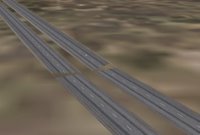
So for the next beta I am backing off to the lesser of two evils: the bridges will not be offset. This means the cars will look great on the bridges. What you will see is a gap, like the one shown here. What this is: right as the bridge starts to "rise" out of the ground, the polygon offset cheat is turned off, and so for a little bit the ground consumes it.

Monday, September 18, 2006

Stupid Library Tricks

Here's something a little bit surprising about the library: the EXPORT command in a library.txt file cannot replace another file in the same package.

For X-Plane 850 we added cars driving on the left side of the road for New Zealand, the UK, Japan, and other countries that drive on the wrong side of the road. Unfortunately what I did was export two road.net files from the same package - one with a region restriction (to these few countries) and a later one with none.

Consider the sum of these two statements...the result is that in New Zealand, the UK, etc. the sim will use either of the two road.net files, picking randomly.

850 will address this with a new library command. Whereas the "export" command normally provides one of multiple alternatives within a package (but replaces any lower ranked packages), the new "export_exclude" command will replace alternatives both within the same package and within lower ranked packages. Commands are treated sequentially, so an export_exclude should usually be at the top of the library.txt file.

Get That Airport Faster With...

I was at least as surprised as you will be to discover that...

..when you pop back to your starting location using replay mode, the airport appears (belatedly - see the previous blog entry) almost five times faster if you turn off texture compression!

What the hell?!?! :-) It's almost as if some idiot programmed X-Plane to load scenery five times slower if texture compression is on. Oh wait...that was me.

The problem is: how to balance the importance of keeping the framerate up with the importance of loading airports before you get there? All background work involves stuff we might do in the background (if you enable the rendering setting), maybe on a second core/CPU if you have one, and also some talking to the graphics card. We can only talk to the graphics card between drawing frames* and doing so stops rendering.

It turns out that in X_Plane 8.30 when we developed background loading, I put in the "go 5x slower" option because compressed textures visibly halts the sim as the graphics card stops rendering and compresses each texture. Without this 5x slowdown in background work, flight becomes stuttered and bumpy. The problem is that the 5x slowdown means we're going through airports at a much slower rate than we should be.

I am working on airport tuning now...there will still be a delay before you see airports if you use instant-replay to move around fast enough (this delay is about the length of time the sim would have spent halted during scenery load but now no longer does) but the responsiveness should be a lot better.

(Here is a discussion of dual-core for Flight Simulator X...tdragger explains the issues well, and I think they apply to any graphics-intensive real-time or near-real-time simulation, so it doesn't surprise me that both X-Plane and FSX offload similar types of work to extra cores.)

*Newer OpenGL drivers get around this limitation to various extents; we will eventually support this in X-Plane.

Friday, September 15, 2006

Where's the Airport???

Sometimes with X-Plane 850 you may reach your destination airport only to discover that...it's not there! What's going on???

Well, in X-Plane 850 3-d scenery is created while you fly. This includes roads, trees, buildings, and most importantly airports. So...if the flight simulator cannot build 3-d scenery as fast as you fly, you may get to the airport and discover and it's missing. After a while, it will appear. The easiest way to see this is: go to replay mode, so you can easily move a huge distance just by dragging the replay slider. This will "thrash" the 3-d scenery build-up and a bunch of airports will be missing.

There is one exception to the "build-as-you-fly" rule: whenever you do anything that changes the scenery situation from a dialog box, X-Plane says to itself, "well, the user is already not flying, because a dialog box is open...why don't I take the time now and create all the 3-d scenery nearby". So when you place an aircraft at an airport, change certain rendering settings, etc. then the sim builds the airport up front and it will always be there.

I do not yet have a fix to the problem of missing airports. For now I recommend that you consider turning down your 3-d scenery; often a lot of roads or objects can cause the sim to get behind in its 3-d work. I am working on making the code more efficient.